Professional Email Templates: Copy, Paste, Send
By Chris Stefaner, Co-founder of Swizero
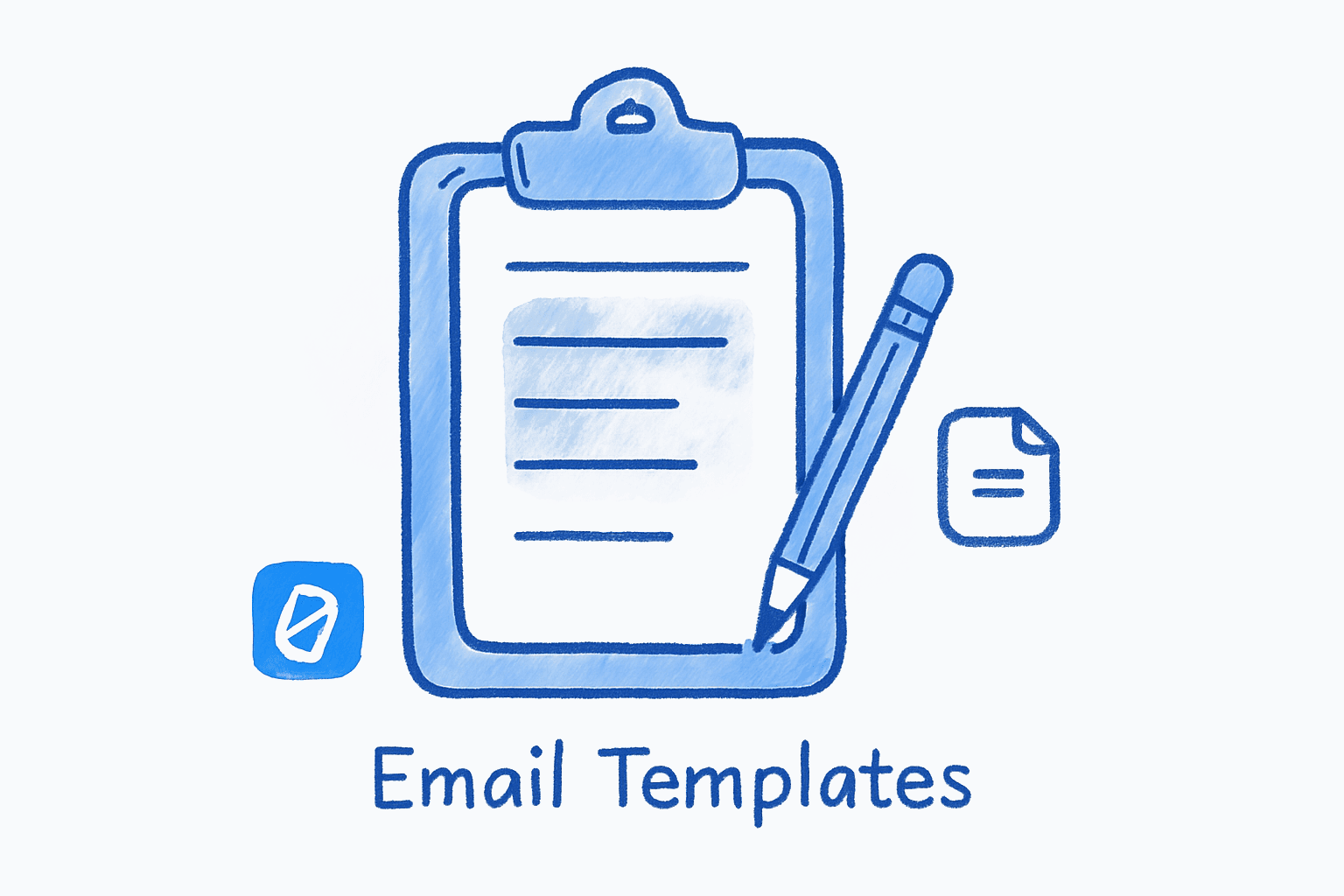
Professional email templates are pre-written messages for common work situations (introductions, meeting requests, follow-ups, apologies) that you customize with a few details and send in seconds instead of drafting from scratch. Below are 30+ templates organized by situation, each with [BRACKET] fields you swap for names, dates, and specifics.
Find your situation, grab the template, tweak the brackets, and hit send. Every template follows the same structure: state your purpose in sentence one, provide just enough context, and close with a clear next step.
Introduction Emails#
Introducing Yourself to a New Team#
Subject: Hello from [YOUR NAME] - [YOUR ROLE]
Hi [TEAM/NAME],
I’m [YOUR NAME], and I just joined [COMPANY] as [YOUR ROLE]. I’ll be working on [BRIEF DESCRIPTION OF YOUR FOCUS AREA].
Before this, I was at [PREVIOUS COMPANY] doing [ONE-SENTENCE SUMMARY]. I’m looking forward to getting up to speed and contributing to [SPECIFIC PROJECT OR GOAL].
If you have a few minutes this week for a quick intro chat, I’d love to put a face to the name. No pressure either way.
Best, [YOUR NAME]
Introducing Two People#
Subject: Connecting [PERSON A] and [PERSON B]
Hi [PERSON A] and [PERSON B],
I wanted to introduce you to each other. [PERSON A], [ONE-SENTENCE CONTEXT ABOUT PERSON B AND WHY THEY’RE RELEVANT]. [PERSON B], [ONE-SENTENCE CONTEXT ABOUT PERSON A].
I think you’d have a great conversation about [SHARED INTEREST OR OPPORTUNITY]. I’ll let you two take it from here.
Best, [YOUR NAME]
Cold Outreach Introduction#
Subject: [SPECIFIC REASON FOR REACHING OUT]
Hi [NAME],
I came across [SOMETHING SPECIFIC THEY DID OR PUBLISHED] and wanted to reach out. I’m [YOUR NAME], [YOUR ROLE] at [COMPANY], and we’re working on [BRIEF, RELEVANT DESCRIPTION].
[ONE SENTENCE ABOUT THE SPECIFIC VALUE OR REASON FOR CONNECTING].
Would you be open to a 15-minute call [THIS WEEK/NEXT WEEK]? Happy to work around your schedule.
Thanks, [YOUR NAME]
For more on crafting strong opening lines, check out our guide on email habits that actually work.
Meeting Request Emails#
Requesting a Meeting with a Colleague#
Subject: Quick sync on [TOPIC] - [PROPOSED DAY]?
Hi [NAME],
Could we set up 30 minutes to discuss [TOPIC]? I want to align on [SPECIFIC GOAL OR DECISION].
I’m free [DAY/TIME OPTION 1], [DAY/TIME OPTION 2], or [DAY/TIME OPTION 3]. Let me know what works, or feel free to grab a slot on my calendar: [CALENDAR LINK].
Thanks, [YOUR NAME]
Requesting a Meeting with Someone Senior#
Subject: Request for [TIME] re: [TOPIC]
Hi [NAME],
I’d appreciate 20 minutes of your time to discuss [TOPIC]. Specifically, I’m looking for your input on [SPECIFIC QUESTION OR DECISION].
I’ve attached [BRIEF DOCUMENT/SUMMARY] so you can review beforehand if that’s helpful. I’m flexible on timing; just let me know what works for your schedule.
Thank you, [YOUR NAME]
Honestly, the “meeting with someone senior” template took me the longest to get right because formal doesn’t have to mean stiff. The trick is showing you respect their time without groveling.
Rescheduling a Meeting#
Subject: Rescheduling our [DAY] meeting
Hi [NAME],
I’m sorry, but I need to reschedule our meeting on [ORIGINAL DATE/TIME]. [BRIEF, HONEST REASON IF APPROPRIATE].
Would any of these alternatives work? [OPTION 1], [OPTION 2], or [OPTION 3].
I apologize for the inconvenience and appreciate your flexibility.
Best, [YOUR NAME]
Save a Meeting Request as a Gmail Template
DesktopOpen Gmail, click Compose, and paste your preferred meeting request template. Click the three-dot menu (bottom-right of the compose window) and select Templates > Save draft as template > Save as new template. Name it something like "Meeting Request."
Gmail allows up to 50 saved templates per account. Name them descriptively so you can find them fast.
Thank You Emails#
Thank You After a Meeting#
Subject: Thanks for your time today
Hi [NAME],
Thank you for meeting with me [TODAY/YESTERDAY]. I found our discussion about [TOPIC] really valuable, especially [SPECIFIC TAKEAWAY OR INSIGHT].
As a next step, I’ll [YOUR ACTION ITEM]. [OPTIONAL: Could you send over [THEIR ACTION ITEM] by [DATE]?]
Looking forward to continuing the conversation.
Best, [YOUR NAME]
Thank You After a Job Interview#
Subject: Thank you - [JOB TITLE] interview
Hi [INTERVIEWER NAME],
Thank you for taking the time to speak with me about the [JOB TITLE] role. I enjoyed learning about [SPECIFIC THING DISCUSSED], and our conversation reinforced my interest in joining [COMPANY].
[ONE SENTENCE CONNECTING YOUR EXPERIENCE TO SOMETHING DISCUSSED]. I’m excited about the opportunity to contribute to [SPECIFIC TEAM GOAL OR PROJECT].
Please don’t hesitate to reach out if you need any additional information. I look forward to hearing from you.
Best regards, [YOUR NAME]
Thank You for a Referral#
Subject: Thank you for the introduction
Hi [NAME],
I wanted to thank you for connecting me with [PERSON]. We [HAD A GREAT CALL / MET / EXCHANGED EMAILS], and [POSITIVE OUTCOME OR NEXT STEP].
I really appreciate you thinking of me. Let me know if I can ever return the favor.
Thanks again, [YOUR NAME]
Knowing how to end an email with the right sign-off makes your thank-you land better. “Best regards” for formal, “Thanks” for casual, “Cheers” when you actually know the person.
Apology and Correction Emails#
Apology for a Missed Deadline#
Subject: Update on [PROJECT/DELIVERABLE] - revised timeline
Hi [NAME],
I want to apologize for not delivering [DELIVERABLE] by [ORIGINAL DEADLINE]. [ONE SENTENCE EXPLAINING THE CAUSE WITHOUT OVER-JUSTIFYING].
I’ve adjusted my timeline and will have this to you by [NEW DEADLINE]. To prevent this from happening again, I’m [SPECIFIC CORRECTIVE ACTION].
I appreciate your patience and understand if this impacts your planning.
Sincerely, [YOUR NAME]
Apology for a Late Reply#
Subject: Re: [ORIGINAL SUBJECT]
Hi [NAME],
Apologies for the delayed response. [OPTIONAL: BRIEF REASON].
To answer your question: [DIRECT ANSWER OR UPDATE].
[ANY NEXT STEPS].
Thanks for your patience, [YOUR NAME]
Honestly, the “apology for a late reply” is the template I use most. It’s a two-sentence email that carries disproportionate goodwill.
Request Emails#
Requesting Information or Documents#
Subject: Request: [SPECIFIC DOCUMENT/INFORMATION] for [PURPOSE]
Hi [NAME],
I’m working on [PROJECT/TASK] and need [SPECIFIC DOCUMENT OR DATA POINT] to move forward. Would you be able to send that over by [DATE]?
If someone else on your team handles this, feel free to loop them in. Happy to provide more context if helpful.
Thanks, [YOUR NAME]
Requesting Time Off#
Subject: PTO request: [DATES]
Hi [MANAGER NAME],
I’d like to request time off from [START DATE] through [END DATE]. [OPTIONAL: BRIEF REASON, E.G., “for a family commitment.”]
Before I leave, I’ll [PLAN FOR COVERAGE]. [COLLEAGUE NAME] has agreed to handle [SPECIFIC RESPONSIBILITY] while I’m out.
Please let me know if these dates work or if you’d like to discuss.
Thanks, [YOUR NAME]
Insert a Saved Template
DesktopIn a new compose window, click the three-dot menu at the bottom-right. Select Templates, then choose the template you want to insert from the list under Insert template. The template text replaces whatever is in the compose window.
Inserting a template overwrites everything already typed in the compose window. Insert the template first, then customize.
Deadline and Reminder Emails#
Friendly Deadline Reminder#
Subject: Reminder: [DELIVERABLE] due [DATE]
Hi [NAME],
Just a quick reminder that [DELIVERABLE] is due on [DATE]. Let me know if you’re on track or if there’s anything you need from my end.
Thanks, [YOUR NAME]
For more strategies on follow-ups that actually get replies, see our guide on writing follow-up emails that work.
Escalation Email (When Reminders Haven’t Worked)#
Subject: [DELIVERABLE] - need resolution by [DATE]
Hi [NAME],
I’ve reached out on [DATE 1] and [DATE 2] regarding [DELIVERABLE], but haven’t heard back. This is blocking [SPECIFIC DOWNSTREAM WORK OR IMPACT].
Could you provide an update by [HARD DEADLINE]? If this is no longer on your plate, please let me know who I should contact.
Thank you, [YOUR NAME]
What Should You Include in an Out-of-Office Email?#
An effective out-of-office reply covers three things: the dates you’re gone, who to contact for urgent matters, and when the sender can expect a reply. Keep it under 50 words.
Out of Office Auto-Reply#
Subject: Out of Office: [YOUR NAME]
Thank you for your email. I’m currently out of the office from [START DATE] through [RETURN DATE] with limited access to email.
For urgent matters, please contact [BACKUP NAME] at [BACKUP EMAIL]. I’ll respond to all other messages when I return.
Best, [YOUR NAME]
Set Up an Out-of-Office Auto-Reply in Gmail
DesktopClick the gear icon in the top-right corner, then select See all settings. Scroll down to the Vacation responder section at the bottom of the General tab. Toggle it on, set your dates, write your message, and click Save Changes.
Check the box for 'Only send a response to people in my contacts' if you don't want external senders receiving your out-of-office message.
How Do You Customize Professional Email Templates Without Sounding Generic?#
The difference between a good template and a bad one is specificity. These templates give you structure (greeting, purpose, ask, close), but the details are what make the message feel like it was written for one person. Our guide to writing better emails covers tone calibration in more detail.
- Replace every bracket field. Sending an email with
[NAME]still in it is worse than not using a template at all. Read the final version once before sending. - Match the formality to the relationship. If you email this person regularly, drop “Dear” for “Hi” and trim any stiff language.
- Front-load the point. Your first sentence should tell the reader why they’re reading. Context goes in sentence two or three.
- Close with a clear next step. “Let me know your thoughts” is weaker than “Could you confirm by Friday?” Specificity reduces back-and-forth.
If you find yourself rewriting the same emails repeatedly, Swizero learns your voice and generates draft replies you can approve with a tap, so you spend less time on routine responses.
Frequently Asked Questions#
How do you write a professional email?#
A professional email has five parts: a clear subject line, a greeting matched to your relationship, an opening sentence that states your purpose, a body with the necessary details, and a closing with a specific next step. Keep the total length under 200 words when possible, use short paragraphs, and proofread before sending.
What is a good template for a formal email?#
A reliable formal email template follows this structure: “Dear [Title] [Last Name], I am writing to [STATE PURPOSE]. [2-3 SENTENCES OF CONTEXT OR DETAILS]. I would appreciate [SPECIFIC REQUEST] by [DATE]. Thank you for your time and consideration. Sincerely, [YOUR NAME].” Adjust the greeting and sign-off based on your relationship with the recipient.
Can you save email templates in Gmail?#
Yes. Gmail has a built-in Templates feature. Go to Settings, then See all settings, then Advanced, enable Templates, and click Save Changes. After that, compose any email, click the three-dot menu at the bottom of the compose window, and choose “Save draft as template.” You can store up to 50 templates per account.
How many email templates do I need?#
Most professionals need five to ten core templates that cover their most common situations: introduction, meeting request, follow-up, thank-you, and request. Start with those and add templates only when you find yourself rewriting the same email more than twice a month.
Should professional emails be formal or casual?#
Match your tone to the context. Emails to external clients, senior executives, or people you haven’t met default to formal. Emails to teammates you work with daily can be casual. When in doubt, start one notch more formal than you think necessary; it’s easier to warm up over time than to recover from being too casual.
How long should a professional email be?#
Aim for 50 to 200 words. Emails under 50 words can feel curt; emails over 200 words lose the reader’s attention. If your message needs more space, consider attaching a document or scheduling a call instead.
Is it unprofessional to use email templates?#
No. Templates save time and improve consistency, especially for routine communication like meeting requests, thank-you notes, and status updates. The key is to customize every template before sending; a personalized template is professional, while a clearly copy-pasted one is not.
What is the best subject line for a professional email?#
The best subject lines are specific and short: “Meeting request: Q3 budget review” beats “Quick question” every time. Include the topic and the action you need. Keep it under 50 characters so it displays fully on mobile devices.
Sources#
- Create a template in Gmail — Google Support. How to enable, create, and use Gmail’s built-in templates feature.
Your inbox doesn't have to feel like this.
Apply what you just learned, faster.
Put this into practice with Swizero