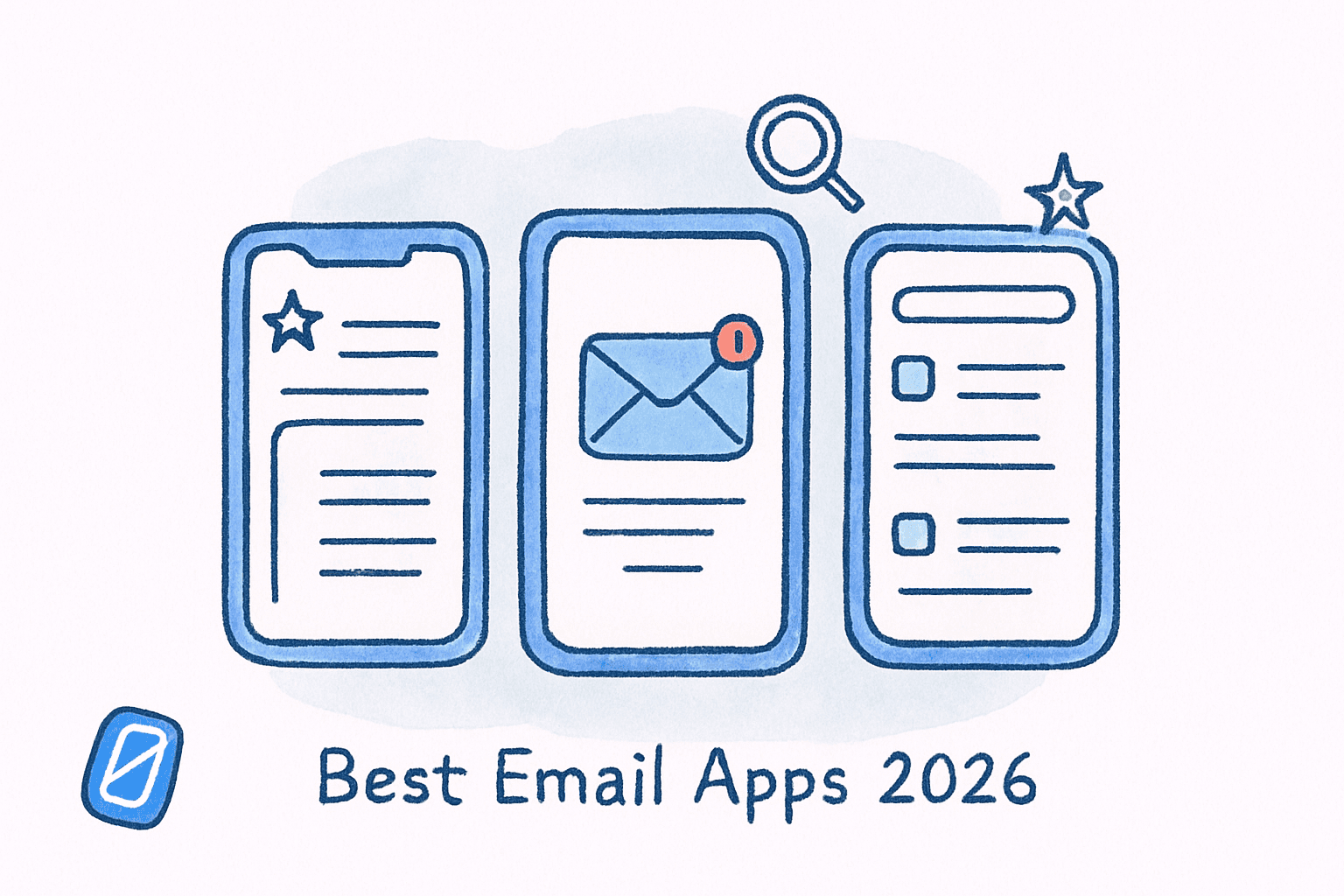
Best Email Apps 2026: We Tested 5 (Only 1 Has a Finish Line)
By Chris Stefaner, Co-founder of Swizero
There is no best email app. There is only the best email app for the way you think about email.
That distinction matters more in 2026 than ever, because the major email clients have diverged sharply in philosophy. Superhuman wants to make you faster. Hey wants to make you calmer. Shortwave wants AI to do the work for you. Spark wants teams to collaborate inside threads. And Swizero (the app we’re building) combines AI automation with a radical constraint: a finite inbox where every session ends, every email is prioritized by an algorithm, and you’re in and out in minutes, not hours.
This post is an honest comparison. We built Swizero, so we obviously have a bias, and we’ll be upfront about it. But we also use these other apps daily, we’ve read the research on what actually makes email manageable, and we think the choice depends on what you believe email’s core problem is.
Key Takeaway
Superhuman wins on raw keyboard speed. Hey wins on philosophical purity. Shortwave and Spark each have niches. But if you want the fastest possible time from “open inbox” to “done” (AI summaries, smart prioritization, one-handed swiping, and a clean interface with a hard finish line), Swizero is the only app that delivers all of that in a single session.
What Makes an Email App Worth Switching For?#
The email app market hit $2.1 billion in 2026, growing at 11% annually. 88% of organizations now use AI in at least one business function, per McKinsey, and email is one of the most common places they start. The market is moving fast.
But switching email apps is a high-friction decision. You’re changing the tool you touch 15+ times per day. So the question isn’t just which app has the best feature list; it’s which app solves the specific problem that makes email painful for you.
After testing every major contender, we found the real differentiator isn’t features or pricing. It’s what each app thinks email’s core problem is, and how that belief shapes every design decision.
Annual Cost Per User (USD)
Source: Official pricing pages, March 2026
Superhuman: Speed as the Solution#
Pricing: $300/year (Starter) to $396/year (Business) Works with: Gmail, Google Workspace, Outlook Core belief: Email is slow, and speed fixes everything.
Superhuman is the email app for people who process 200+ messages daily and want to do it in half the time. Its claim, that users get through email 2x faster and save 4+ hours weekly, is backed by keyboard shortcuts for every action and an interface built for velocity.
Since Grammarly acquired Superhuman in October 2025, the AI features have accelerated. Auto Drafts writes follow-up emails in your voice without prompting. Auto Labels classifies every incoming message. The Split Inbox divides your view into customized sections like VIP, Team, or Google Docs.
Where Superhuman excels: If you’re an executive or sales professional processing hundreds of emails daily, the speed gains are real and measurable. The keyboard-driven interface becomes second nature after a week.
The limitation: Superhuman makes you faster at email, but it doesn’t question whether you should be spending that time on email at all. You still face a cluttered, infinite inbox, just with better keyboard shortcuts for navigating it. A 2x speed improvement on a fundamentally unbounded workflow still means hours in your inbox every week. And at $300/year, it’s significantly more expensive than Swizero Premium ($9.99/mo or $79.99/yr) while requiring more time and effort to achieve “done.”
Hey: Philosophy as the Solution#
Pricing: $99/year Works with: Hey’s own @hey.com addresses only Core belief: Email itself is hostile, and the fix is rethinking the entire model.
Hey, built by 37signals (the creators of Basecamp), is the most opinionated email app in existence. It requires you to use a @hey.com address, meaning you can’t bring your existing Gmail or Outlook inbox. That alone filters out anyone who isn’t ready to commit.
What you get in return is genuinely different. The Screener forces you to approve every new sender before they reach your Imbox (not inbox; the “im” stands for “important”). Paper Trail separates transactional emails (receipts, confirmations) from real conversations. Spy pixel blocking stops senders from tracking whether you opened their message.
Where Hey excels: If you’re philosophically exhausted by email (the tracking, the spam, the infinite scroll), Hey offers a fundamentally different relationship with your inbox. The Screener alone eliminates most noise before you ever see it.
The limitation: The @hey.com requirement is a dealbreaker for most professionals. You can’t use Hey with your work email. It’s also light on AI features compared to Superhuman or Shortwave; the philosophy is more about subtraction than automation. For the deeper comparison, see our Swizero vs Hey comparison.
Shortwave: AI Automation as the Solution#
Pricing: Free tier / $7/month (Personal) / $14/month (Pro) Works with: Gmail only Core belief: AI should handle the tedious parts so you don’t have to.
Shortwave is the most technically ambitious email client. Its AI summarizes threads, drafts replies in your voice (via Ghostwriter, which learns your writing style from sent emails), bundles similar messages, and lets you search your inbox with natural language questions.
The AI is genuinely impressive. Ask “What did Sarah say about the Q3 budget?” and it pulls the relevant thread. The summaries compress long email chains into a few sentences. The price-to-AI ratio is the best in the market.
Where Shortwave excels: If you want AI to do the heavy lifting (summarizing, drafting, organizing) at a fraction of Superhuman’s price, Shortwave delivers. The natural language search alone can save significant time for anyone buried in threads.
The limitation: Gmail only. If your company uses Outlook or Microsoft 365, Shortwave isn’t an option. The interface, while improved, still presents a traditional inbox layout (threads, folders, labels) that requires you to decide what to do with each message in an infinite list. AI makes individual tasks faster, but the overall experience is still “wade through everything.” Contrast this with an approach where AI pre-selects what matters and presents it as a finite set of cards: Shortwave automates the stream, while Swizero eliminates the stream entirely.
Tired of automating an infinite stream? Swizero combines AI summaries, smart prioritization, and a one-handed swipe UI with something no other app offers: a hard finish line. You’re in and out of email in minutes. Get Swizero →
Spark: Team Collaboration as the Solution#
Pricing: Free / $60/year (Premium) / $84/year (Teams) Works with: Gmail, Outlook, iCloud, Yahoo, IMAP Core belief: Email is a team sport, and the inbox should reflect that.
Spark is the most accessible option on this list. It works with virtually every email provider, offers a generous free tier, and is available on iOS, Android, Mac, Windows, and web. The Smart Inbox auto-categorizes messages into Personal, Notifications, and Newsletters.
What sets Spark apart is team collaboration: shared drafts, internal comments on email threads, delegated messages, and shared inboxes. If your team needs to coordinate on customer emails without forwarding chains, Spark handles it natively.
Where Spark excels: Best value for the money, widest platform support, and the only option on this list with meaningful team features at an affordable price. The free tier is genuinely usable.
The limitation: The AI features are less sophisticated than Shortwave’s or Superhuman’s. The Smart Inbox categorization is helpful but basic compared to AI-driven prioritization. And like most email apps, there’s no concept of a finite inbox; you’re still managing an endless stream, just with better organization.
Swizero: Everything You Need, Nothing You Don’t#
Pricing: Swizero Premium at $9.99/mo or $79.99/yr Works with: iOS (Android planned) Core belief: Email isn’t broken; it’s unbounded. The fix is AI + constraints, not more features.
Full disclosure: we built Swizero, so take what follows with appropriate skepticism. But also: we built it because none of the apps above solved our problem.
Swizero combines the AI automation of Shortwave with a fundamentally different interface model. Here’s what makes it different from everything on this list:
AI that does the hard work before you arrive. Swizero’s AI email management analyzes your incoming email, ranks messages by importance, and distills each one to an AI-powered summary. By the time you open the app, the prioritization is already done: your most important emails appear first, not buried under newsletters and notifications. This isn’t a Smart Inbox that sorts messages into categories. It’s a ranking algorithm that ensures the emails most likely to need your attention are the ones you see.
The fastest in-and-out experience in email. Every other app on this list asks you to spend time inside the app, navigating threads, switching tabs, managing labels. Swizero’s card-based swipe UI is designed for one-handed, one-pass sessions. Left to clear, down to archive, right to flag, up to reply. AI generates draft replies you can send with a single tap. A typical Swizero session takes minutes, not the 30-60 minute sessions most email apps demand.
A clean interface with zero clutter. No sidebar of folders. No nested label hierarchies. No unread badge counts climbing into the thousands. Swizero reduces your inbox to a handful of cards: a fixed card limit that creates a clean, focused experience. Compare this to the visual density of Superhuman’s split inbox, Shortwave’s thread bundles, or Spark’s multi-pane layout. Swizero is deliberately minimal because clutter is cognitive load.
A finish line that’s actually reachable. This is the core innovation. When you’ve swiped through your cards, the session is over. Your inbox is done — not “sort of organized” or “mostly triaged” but done. The research is clear: bounded engagement with email reduces stress and improves focus. No other app on this list has a concept of “done.” They all present infinite lists that you manage but never finish. Swizero is the only email app with a finish line.
Where Swizero excels: Speed to completion, AI-powered prioritization, one-handed swipe UX, privacy-first zero-retention AI processing, clean interface, and the only hard finish line in email. Swizero Premium ($9.99/mo or $79.99/yr) unlocks unlimited AI summaries, unlimited AI draft replies, and unlimited runs, at a fraction of what Superhuman charges.
The limitation: iOS only (for now), no team features, and access opens in rounds rather than immediately. The card limit is a deliberate constraint, and power users who want to see every message in a traditional list may need an adjustment period. But for the vast majority of people who just want to get through email and get on with their day, the constraint is the feature.
How Do They Compare? A Feature-by-Feature Breakdown#
| Feature | Superhuman | Hey | Shortwave | Spark | Swizero |
|---|---|---|---|---|---|
| AI Summaries | Yes | No | Yes | Basic | Yes (every email) |
| AI Draft Replies | Auto Drafts | No | Ghostwriter | Basic | AI Draft (1-tap send) |
| Smart Prioritization | Split Inbox | Screener | Bundles | Categories | Ranking algorithm (best) |
| Inbox Limit / Finish Line | No | No | No | No | Yes (only app) |
| Time to “Done” | 30-60 min | 20-30 min | 20-40 min | 30-60 min | 5-15 min (fastest) |
| Interface Clutter | High (split panes) | Low | Medium (threads) | High (multi-pane) | Minimal (cards only) |
| Privacy Focus | Low | High | Low | Medium | High (zero-retention) |
| Team Features | Comments | No | Team inboxes | Best | No |
| Platform Support | Web, Mac | All | Web (Gmail) | All (best) | iOS |
| Free Tier | No | No | Yes | Yes | No |
| Annual Cost (Solo) | $300 | $99 | $84-$168 | $0-$60 | $79.99/yr ($9.99/mo) |
Which Should You Choose?#
For most people, the answer is simpler than you’d think.
If you need team collaboration on shared inboxes, choose Spark; nothing else does this well at the price. If you want to commit to a new email identity with strong privacy, Hey is philosophically unmatched.
But if your problem is the one that 90% of email users share (too much time in the inbox, too many messages, too much clutter, and no sense of completion), then the question is really between three apps: Superhuman, Shortwave, and Swizero.
Superhuman makes you faster at navigating an infinite inbox, for $300/year. Shortwave automates individual tasks inside an infinite inbox, for $84-168/year. Swizero gives you AI summaries, AI draft replies, smart prioritization, and a one-handed swipe interface — and then it does something neither of them do: it ends. Your session has a finish line. Your inbox has a card limit. You’re done in minutes, not hours. And the pricing undercuts both significantly.
The other apps help you manage email. Swizero helps you finish it.
- Need team features? → Spark
- Want a new email philosophy + address? → Hey
- Want the fastest path from “open inbox” to “done”? → Swizero
- Want speed on a cluttered inbox and can afford $300/yr? → Superhuman
- Want AI automation on Gmail specifically? → Shortwave
If you’re curious about the research behind why bounded inboxes work, read our piece on the science of email checking frequency and why batching reduces stress, or the evidence behind the five email habits that hold up under peer review. And if you’re still weighing which underlying platform to use before choosing a front-end client, our Gmail vs. Outlook 2026 comparison covers AI features, pricing, and the inbox problem neither platform solves.
Frequently Asked Questions#
What is the best free email app in 2026?#
Spark offers the most capable free tier, with Smart Inbox categorization, snooze, send later, and cross-platform support (iOS, Android, Mac, Windows, web). Shortwave’s free plan includes basic AI summaries and 90-day search. Swizero offers a single paid tier, Swizero Premium, at $9.99/mo or $79.99/yr with unlimited AI summaries, draft replies, and runs.
Is Superhuman worth $300 per year?#
For high-volume email users (200+ messages daily), Superhuman’s speed gains (users report saving 4+ hours weekly) can justify the cost. That’s roughly $1.40 per hour saved. For average email users handling 50-100 messages daily, the ROI is harder to justify when alternatives like Shortwave ($84-$168/year) and Spark ($0-$60/year) offer strong AI features at lower price points.
Can I use Hey with my existing email address?#
No. Hey requires you to use a @hey.com email address. You cannot connect your existing Gmail, Outlook, or work email. This is a deliberate design choice by 37signals to control the full email experience, but it means Hey is typically used alongside your primary email rather than replacing it.
Which email app has the best AI features?#
It depends on what you need AI to do. Shortwave has the deepest AI feature set for power users: Ghostwriter learns your writing voice, natural language search queries your inbox conversationally, and summaries compress threads. Superhuman’s Auto Drafts (since the Grammarly acquisition in 2025) auto-generates follow-ups. But Swizero applies AI where it arguably matters most: before you even open the app. Its ranking algorithm pre-prioritizes your emails by importance so the most critical messages are the first cards you see, AI summaries let you understand each email at a glance, and AI-drafted replies can be sent with a single tap. The result is the fastest total time from “open inbox” to “done,” not the most AI features, but the most impactful use of AI.
Sources#
- Email Application Market Size, Share & Forecast to 2036. Fact.MR, 2026. Global email app market valued at $2.1B in 2026, growing at 11% CAGR.
- The State of AI: Global Survey. McKinsey, 2025. 88% of organizations use AI in at least one business function.
- Superhuman Mail Review 2026. Efficient App. Users get through email 2x faster, save 4+ hours weekly.
- Superhuman Pricing Plans. Superhuman Help Center. Starter $300/year, Business $396/year.
- HEY — Email from 37signals. Official site. Screener, Imbox, Paper Trail, spy pixel blocking. $99/year.
- Shortwave Pricing. Official site. Free / Personal $7/mo / Pro $14/mo.
- Shortwave vs. Superhuman: Which is better?. Zapier, 2026. Feature-by-feature comparison of AI capabilities.
- Superhuman acquired by Grammarly. Wikipedia. Acquisition in October 2025.
- Checking Email Less Frequently Reduces Stress. Kushlev & Dunn, Computers in Human Behavior, 2015. Bounded email engagement reduces stress.
Your inbox doesn't have to feel like this.
A different approach to email, side by side.
See how Swizero compares