Apple Mail vs Third Party Email Apps: Is It Time to Switch?
By Chris Stefaner, Co-founder of Swizero
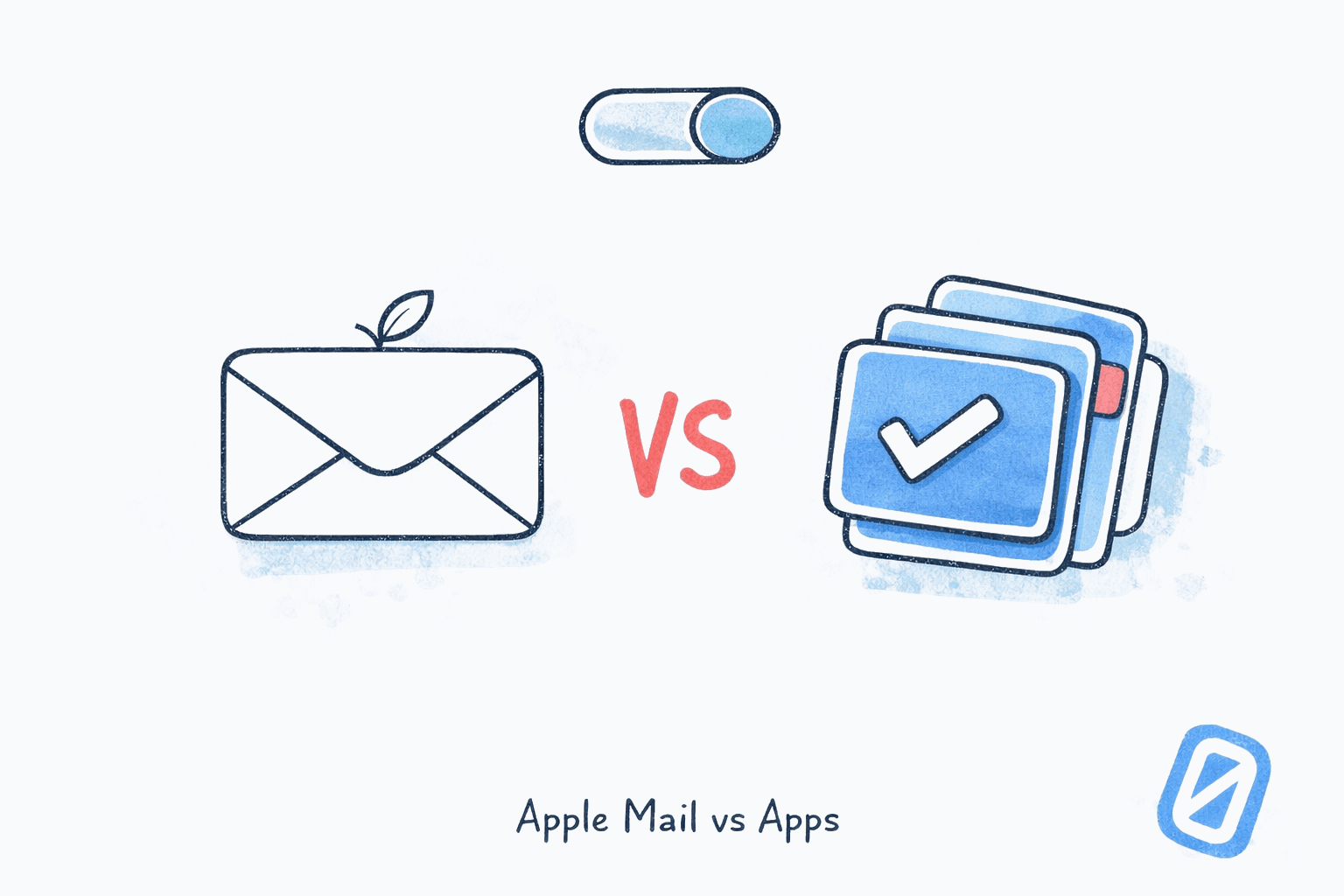
The debate around Apple Mail vs third party email apps usually starts with a simple question: is the default good enough? For most iPhone users, the answer is yes. Apple Mail syncs reliably, handles multiple accounts, and since iOS 18 added category tabs and Apple Intelligence summaries, it’s more capable than it has ever been. If your inbox volume is moderate and your email demands are simple, there’s no urgent reason to switch.
That’s the honest answer, and it’s one most “best email app for iPhone” listicles skip because it doesn’t drive downloads. But honesty is also where the useful conversation begins: when does Apple Mail stop being good enough, and what does a meaningful upgrade actually look like?
Here’s our position, and roughly a third of you will disagree: Apple Mail’s biggest problem isn’t missing features. It’s that Apple treats email as a utility to be maintained, not a workflow to be completed. Apple Intelligence added summaries and smart replies, but it didn’t add a finish line. The inbox is still infinite. The session never ends. And that distinction, between an inbox you manage and an inbox you finish, is what separates default-good-enough from genuinely better. If you’ve read our take on why email is unbounded by default, this framing will sound familiar.
Key Takeaway
Apple Mail is a perfectly fine email client for low-to-moderate inbox volumes. But for iPhone users processing 50+ emails daily who want AI-driven prioritization, a bounded session, and a genuine sense of “done,” a purpose-built third-party app offers what Apple’s default never will: email with a finish line.
Why Do So Many People Still Use Apple Mail?#
The short answer is defaults. Apple Mail accounts for roughly 58% of all email opens globally according to Litmus’s February 2026 market share tracking. That staggering number has more to do with pre-installation than preference. Every iPhone, iPad, and Mac ships with Mail already configured. Most people never change it.
This isn’t laziness. It’s a well-documented cognitive pattern. Samuelson and Zeckhauser’s foundational 1988 study Status Quo Bias in Decision Making in the Journal of Risk and Uncertainty demonstrated that people disproportionately stick with whatever option is presented as the default, even when alternatives are objectively superior. The bias gets stronger as the number of alternatives increases. With dozens of email apps in the App Store, the paradox of choice actually reinforces Apple Mail’s dominance.
And honestly, Apple has earned some of that inertia. The privacy story alone is substantial.
Apple Mail’s Genuine Strengths#
Apple Mail Privacy Protection, introduced in iOS 15, blocks tracking pixels, hides IP addresses, and strips tracking parameters from links. According to Twilio’s 2025 analysis of Apple Mail Privacy Protection, roughly 64% of B2C email subscribers now use an MPP-capable version of Apple Mail, meaning the majority of consumer email opens are shielded from sender surveillance by default.
iOS 18 brought additional improvements: category tabs sort messages into Primary, Transactions, Updates, and Promotions (similar to Gmail’s tab system). Apple Intelligence generates inbox-level summaries and in-message summaries, priority message flagging, and Smart Reply suggestions. These are real features that make Apple Mail noticeably better than its iOS 17 predecessor.
So why would anyone switch?
What Are Apple Mail’s Actual Limitations in 2026?#
Apple Mail’s limitations aren’t dramatic failures. They’re quiet friction points that compound over time, the kind of problems you don’t notice until you see a different approach.
No real prioritization engine. Apple Intelligence flags “priority messages,” but the algorithm is rudimentary compared to dedicated email apps. There’s no learning model that studies your response patterns over weeks and surfaces what matters most. The inbox is still chronological at its core, with priority messages as a light overlay.
Summary accuracy is inconsistent. Apple Intelligence summaries drew public criticism in early 2025 after high-profile errors, including a summary that falsely claimed a tennis player had come out as gay, and another that prematurely declared a sports result. Apple responded by adding clearer AI labels, but the underlying accuracy issues reflect the challenge of running lightweight on-device models. Dedicated email apps with more sophisticated AI pipelines (using embeddings, RAG retrieval, and larger models) produce more reliable summaries.
No concept of completion. This is the core issue, and it’s philosophical, not technical. Apple Mail presents every unread message in a scrolling list. You can organize, categorize, and batch-process. But the list never ends. There’s no moment where the app tells you “you’re done.” The growing body of research linking unbounded email engagement to elevated stress makes this matter more than any individual feature gap.
Limited automation. No scheduled sends (until recently, and still rudimentary). No email snoozing. No rules that move messages automatically based on learned behavior. No auto-drafting of replies. Power users who want their email client to do things for them hit Apple Mail’s ceiling quickly.
These limitations aren’t bugs. They’re the natural result of Apple treating Mail as a bundled utility rather than a product with its own roadmap and vision.
Who Should Stick with Apple Mail?#
Not everyone needs to switch, and pretending otherwise would be dishonest.
Apple Mail is the right choice if:
- You receive fewer than 30 emails per day and most are transactional (receipts, shipping notifications, calendar invites)
- You use email primarily for reading, not responding (checking flight confirmations, scanning newsletters, glancing at work updates)
- Privacy is your top priority and you want tracker blocking without installing anything
- You prefer zero additional apps on your phone and value the simplicity of one fewer thing to manage
- Your email stress is low. Genuinely low, not “I’ve normalized the anxiety” low
I could write a whole post about how many people mistake habitual stress for baseline contentment, but the key point here is: if you have to think about whether Apple Mail is working for you, it probably isn’t. People for whom it works don’t wonder about alternatives.
If you recognize yourself in the next section instead, Swizero was built specifically for iPhone users who want AI email processing without the complexity of desktop-first power tools. One-handed swiping, AI summaries on every message, and a session that actually ends.
When Is It Time to Switch from Apple Mail?#
The signals that Apple Mail is no longer serving you aren’t always obvious. They tend to show up as habits rather than complaints.
You check email reflexively, not intentionally. You open Mail not because you’re expecting something but because the app is there and the badge number keeps climbing. According to Litmus’s email client data, iPhone accounts for 90.5% of all mobile email opens. That’s a lot of reflexive checking on a device that’s always in your pocket.
You spend more than 20 minutes per session. If you’re spending 20-40 minutes scrolling through Apple Mail, you’ve outgrown a utility email client. The time isn’t in reading; it’s in the decision overhead of an unsorted, unbounded list.
You miss important emails. Not because Apple Mail failed to deliver them, but because they’re buried under promotional noise. iOS 18’s category tabs help, but the Primary tab itself is still chronological, not prioritized. A message from your biggest client sits in the same queue as a message from your dentist.
You feel like email is never done. This is the most telling signal. Gloria Mark, Professor of Informatics at UC Irvine and author of Attention Span, has written extensively about how unbounded digital tasks create persistent background stress. Email without a finish line is the canonical example. If you close Apple Mail feeling “caught up” rather than “finished,” you’re managing a stream, not completing a task.
The Switching Cost Is Lower Than You Think#
One reason people stay with Apple Mail is the perceived switching cost. But modern email apps connect via OAuth: you sign in with your Google or iCloud credentials, and your email appears instantly. There’s no data migration, no forwarding rules, no lost messages. Switching email apps in 2026 is closer to switching podcast apps than switching banks.
The real cost is cognitive: learning a new interface. For apps designed around simplicity (like a card-based swipe UI) the learning curve is minutes, not weeks.
Apple Mail vs Third Party Email Apps: How Do They Compare?#
The third-party email landscape splits into roughly three camps, each solving a different problem:
| Approach | Examples | Best For | Apple Mail Gap It Fills |
|---|---|---|---|
| Speed-first | Superhuman ($300/yr) | High-volume power users (200+ emails/day) | Keyboard shortcuts, split inbox, AI auto-drafts |
| AI-first | Shortwave ($84-168/yr) | Gmail users who want AI to handle triage | Natural language search, thread summaries, Ghostwriter |
| Finite-first | Swizero (free + paid tiers) | iPhone users who want email to end | Card limit, AI prioritization, one-handed swipe, finish line |
What’s notable is that each camp addresses a different failure mode of Apple Mail. Superhuman fixes speed. Shortwave fixes intelligence. Swizero fixes boundlessness. Your best third-party email app in 2026 depends on which problem is actually costing you the most time and energy.
Benedict Evans, independent technology analyst and former partner at Andreessen Horowitz, made this point precisely in his essay Office, Messaging and Verbs:
“You don’t actually send email or make a spreadsheet: you analyze, delegate, report, confer, decide, track and so on.”
Apple Mail embodies this gap perfectly: it presents messages but offers no opinion about what you should do with them. The actual work (analyzing, delegating, deciding) is left entirely to you. Third-party apps, at their best, bring workflow intelligence that transforms a message list into a decision-making system.
But here’s the caveat most comparison articles omit: not all third-party apps are equally good for iPhone users. Superhuman is keyboard-centric and desktop-optimized. Hey requires abandoning your email address (our Swizero vs Hey comparison breaks down that tradeoff). Shortwave is Gmail-only. Spark is flexible but its AI capabilities lag behind dedicated AI-first clients.
For iPhone users who process email on their phone, with one hand, in short bursts, the ideal Apple Mail alternative needs to be mobile-native, provider-agnostic, AI-powered, and designed for sessions that end. That’s a narrow set of criteria.
What About Apple Intelligence? Isn’t Apple Catching Up?#
Apple Intelligence in Mail runs entirely on-device using smaller models. That’s excellent for privacy, limited in capability. The summaries are short and sometimes miss nuance. Priority flagging is binary (priority or not) rather than ranked. Smart Reply suggestions are generic rather than personalized to your writing voice.
The deeper issue is structural. Apple Intelligence makes individual emails easier to process. It doesn’t change the architecture of the inbox. You still face every unread message in a chronological list. The AI assists; it doesn’t transform.
Cal Newport, Georgetown Computer Science Professor and author of A World Without Email, argues that communication tools fail when they optimize the wrong layer. In a 2021 interview with 80,000 Hours, he explained: “The problem isn’t the tool. The problem is the workflow. If you just give people a faster tool for a bad workflow, you get a faster bad workflow.”
Apple Intelligence is a faster tool for the same workflow. A fundamentally different app can offer a different workflow entirely: ranking messages by importance, distilling each to its essence, pre-drafting replies, and presenting only a handful of cards in a bounded session. The difference isn’t better AI versus worse AI. It’s AI as a feature bolt-on versus AI as a foundational design principle.
Frequently Asked Questions#
Is Apple Mail secure enough for work email?#
Apple Mail supports OAuth 2.0, encrypts data in transit via TLS, and Mail Privacy Protection blocks tracking pixels and hides IP addresses. For most knowledge workers, that’s adequate. However, Apple Mail lacks end-to-end encryption for message content, something ProtonMail and Tuta offer natively. If your industry handles sensitive data (legal, healthcare, finance), evaluate whether compliance requirements demand features Apple doesn’t provide.
Can I use Apple Mail with Gmail, Outlook, and iCloud simultaneously?#
Yes. Apple Mail supports Gmail, Outlook/Microsoft 365, iCloud, Yahoo, and any IMAP/POP provider simultaneously. However, adding a Gmail account to Apple Mail means losing Gmail-specific features like Smart Compose and Priority Inbox; you get the messages but not the intelligence layer Gmail applies to them.
Does switching email apps mean losing my emails?#
No. Modern email apps connect to your existing accounts via OAuth authentication. Your emails stay on your email provider’s servers (Gmail, iCloud, Outlook). Switching apps is like switching the window you look through; the room behind it doesn’t change. You can use a third-party app and Apple Mail simultaneously, and return to Apple Mail any time without data loss.
What is the best free Apple Mail alternative for iPhone?#
Gmail’s app is the most widely used free alternative with AI features powered by Gemini. For a different approach, Swizero’s free tier includes one Run per day with AI summaries and all swipe actions, designed around completion rather than feature breadth.
Will Apple Intelligence make third-party email apps obsolete?#
Unlikely. Apple Intelligence improves Apple Mail incrementally: better summaries, smarter replies, category sorting. But Apple’s incentive is to make Mail “good enough” across a billion devices, not to build the best possible email experience for power users. Dedicated email apps can take risks (like imposing a card limit or requiring specific workflows) that Apple never will. The gap between “good enough for everyone” and “genuinely great for you” is where third-party apps will continue to thrive.
Sources#
- Email Client Market Share: Trends & Statistics 2026 - Litmus, February 2026. Apple Mail holds ~58% of email opens globally; iPhone accounts for 90.5% of mobile email opens.
- Status Quo Bias in Decision Making - Samuelson & Zeckhauser, Journal of Risk and Uncertainty, 1988. People disproportionately stick with default options even when alternatives are superior.
- Apple Mail Privacy Protection - Apple, 2021. Blocks tracking pixels, hides IP addresses, strips tracking parameters from email links.
- Guide to Apple Mail Privacy Protection & iOS 18 - Twilio, 2025. 64% of B2C email subscribers use MPP-capable Apple Mail versions.
- Use Apple Intelligence in Mail on iPhone - Apple Support. Details on summaries, priority messages, and Smart Reply features in iOS 18.
- Following Complaints, Apple to Further Clarify When Notification Summaries Use AI - TechCrunch, January 2025. Apple responded to inaccurate AI summary complaints from BBC and other publishers.
- Attention Span - Gloria Mark, Professor of Informatics at UC Irvine, 2023. Unbounded digital tasks and persistent background stress from incomplete work.
- Cal Newport on an Industrial Revolution for Office Work - 80,000 Hours podcast, 2021. Communication tools fail when they optimize the wrong layer of the workflow.
- Office, Messaging and Verbs - Benedict Evans, 2015. Email as a proxy for underlying work verbs: analyzing, delegating, deciding.
Your inbox doesn't have to feel like this.
A different approach to email, side by side.
See how Swizero compares