Email Triage: What It Is and How AI Automates It
By Chris Stefaner, Co-founder of Swizero
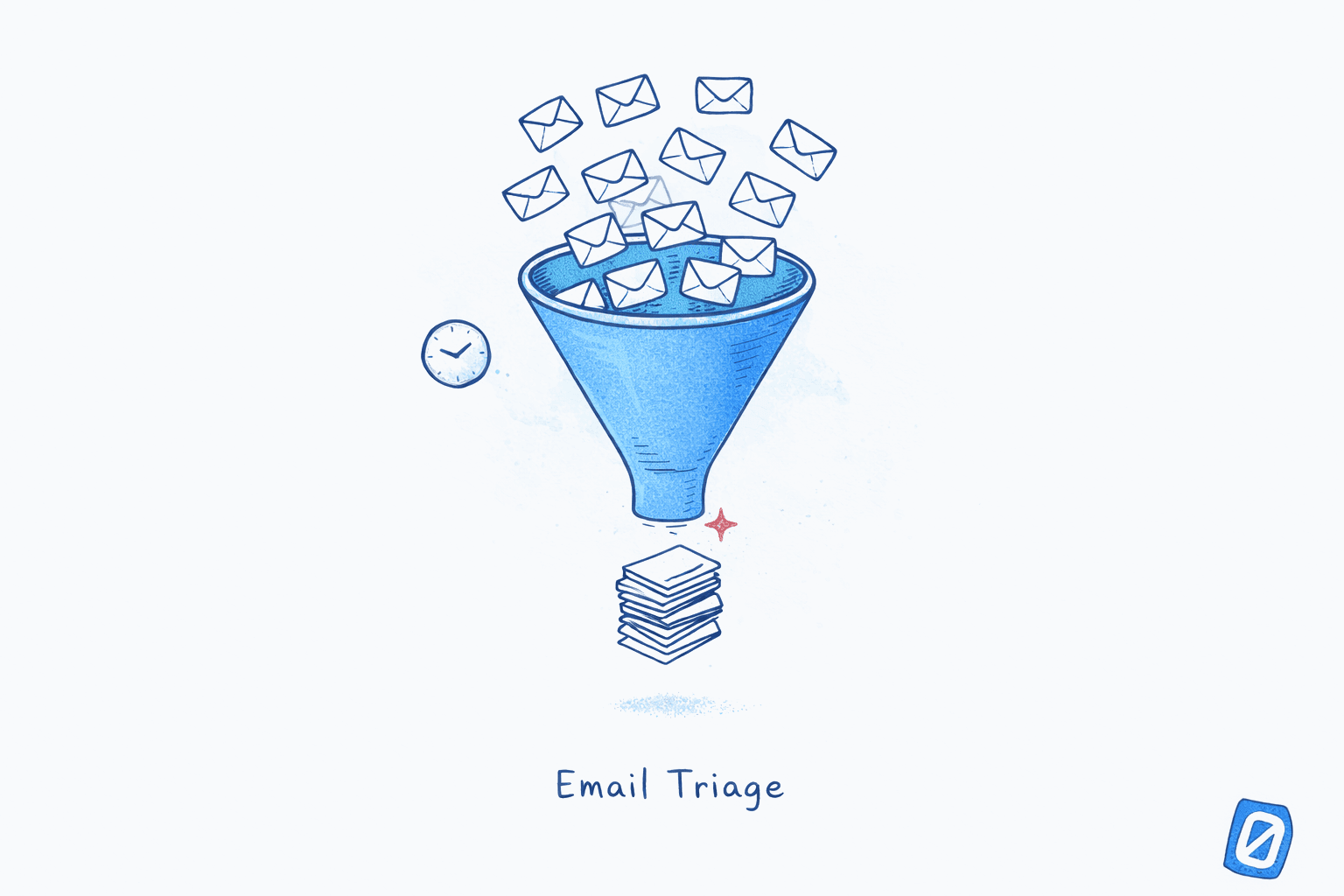
Email triage is the practice of sorting incoming messages by urgency and importance before responding to any of them. The term borrows from emergency medicine, where clinicians assess every patient arriving in an emergency department and assign a priority level so the sickest are treated first. Applied to your inbox, triage means you stop reading emails in the order they arrived and start reading them in the order they matter.
The distinction sounds simple, but it changes everything about how email works. Without triage, a newsletter with a “Last chance!” subject line gets your attention before a client email that arrived ten minutes earlier, because the newsletter feels more urgent. With triage, you categorize first and act second, so your attention flows to what actually needs it. A 2024 systematic review of 62 studies spanning 25 years of email research, published in the Journal of Occupational and Organizational Psychology, identified regular email triaging as one of only four “super actions” that reliably predict both better well-being and higher work performance.
Here is the problem most people have with email: they don’t lack tools. They lack a sorting step. Email has no built-in mechanism to surface what matters and suppress what doesn’t. Every message arrives with equal visual weight. The inbox is a queue, not a priority system. Triage is what turns it into one.
Key Takeaway
Email triage is the practice of categorizing messages by urgency before acting on any of them. Research shows it is one of only four email behaviors that improve both productivity and well-being. AI email triage systems automate this sorting step entirely, reducing inbox processing time by surfacing only what needs your attention.
Why Does Email Need Triage in the First Place?#
Email needs triage because the volume-to-value ratio has become absurd. According to Microsoft’s 2025 Work Trend Index, the average knowledge worker now receives 117 emails per day alongside 153 Teams messages, and is interrupted every two minutes during core working hours. That adds up to 275 interruptions daily. Research from multiple workplace surveys consistently finds that fewer than 12% of those emails contain a specific action item requiring a response or task. The rest is noise: newsletters, CC chains, automated notifications, FYI forwards.
The math creates a needle-in-a-haystack problem. You have to scan all of it to find the fraction that matters. Without a sorting mechanism, you process emails in arrival order, spending equal cognitive effort on a marketing digest and a board member’s question. The result is what Cal Newport, Georgetown professor and author of A World Without Email, describes as the core problem with modern email: “Much of email is trivial, but it is very difficult when processing email to tell which messages are high priority and which messages are low priority.”
Triage solves this by making prioritization the first step, not an afterthought. You classify before you read. You act in priority order, not arrival order. The cognitive load drops because you are no longer evaluating every message with equal intensity.
What Is an Email Triage System?#
An email triage system is any structured method for categorizing incoming messages into priority tiers before processing them. The concept operates on the same principle as medical triage: when demand exceeds capacity, sorting by urgency before taking action produces better outcomes than first-come-first-served.
Most email triage systems use some variation of a three-tier model.
| Priority Tier | What Belongs Here | Action |
|---|---|---|
| Urgent | Deadline within 24 hours, key stakeholder requests, time-sensitive decisions | Handle in this session |
| Important | Needs a thoughtful reply, multi-day deadline, project-related | Schedule a specific time block |
| Low-priority | Newsletters, CC’d threads, automated notifications, FYI messages | Archive, skim in batch, or delete |
The scale of what triage is sorting through is easy to underestimate. Microsoft’s 2025 Work Trend Index, drawn from Microsoft 365 telemetry rather than self-reporting, found that meetings, email, and chat consume 60% of the average worker’s day, and that the heaviest-hit fifth of workers absorb a ping roughly every two minutes during core hours.
The gap between a triaged and untriaged inbox is not marginal. It is the difference between spending 20 minutes on the 12% of emails that need you and spending 60 minutes scanning everything to figure out which 12% that is.
How to Triage Emails Manually (The Three-Pass Method)#
Manual email triage works. It requires discipline but not complexity. The framework has three phases, and the key is keeping them separate.
Pass 1: Scan only. Scroll through your inbox without clicking into any message. Mentally tag each email as urgent, important, or low-priority based on sender and subject line alone. Two to three minutes for a full inbox.
Pass 2: Handle urgent items first. Go back through only the emails you tagged as urgent. Respond, escalate, or act. Ignore everything else. You are spending your freshest attention on the emails that need it most.
Pass 3: Batch the rest. Important emails get a scheduled time block. Low-priority items get archived or deleted in bulk. This phase reclaims the most time because you process noise at speed rather than with full attention.
Honestly, the scan phase is psychologically harder than it sounds. The temptation to open and read is powerful. But the discipline of not reading during the scan is what makes triage work. The moment you start reading, you start reacting, and reaction is the opposite of prioritization.
What Is AI Email Triage?#
AI email triage is software that automates the sorting step entirely. Instead of you scanning subject lines to decide what matters, an algorithm evaluates every incoming email across multiple signals and assigns a priority rank before you open the app. When you arrive at your inbox, the most important messages are already at the top, and the noise has been suppressed or removed. This kind of continuous, unprompted sorting is one of the defining traits of agentic email: a system that acts on your inbox instead of waiting for you to ask.
Most AI email triage software evaluates sender importance (how often you reply, how quickly), content urgency (deadline keywords, calendar references), historical engagement (which threads you open vs. archive unread), and contextual relevance (meeting matches, project names from recent threads).
The difference between AI triage and traditional email filtering is fundamental. Filtering sorts by static rules: emails from this sender go to this folder. Triage ranks by dynamic priority: this email matters to you right now, based on your behavior and context. A filter puts all emails from your boss in one folder. Triage puts the urgent email from your boss at the top and leaves the FYI forward for later.
If scanning 117 emails to find the 12 that need you sounds exhausting, Swizero does the triage automatically. Its AI ranks every email by importance and surfaces a handful of cards with summaries. You swipe through, take action, and the session ends. No scanning. No sorting. Just the emails that need you.
How Does AI Email Triage Software Actually Work?#
AI email triage software combines rule-based heuristics with machine learning in three stages. First, signal extraction: the system parses each email for structured signals (sender, recipients, timestamps) and unstructured signals (subject line semantics, body content, urgency cues). Second, priority scoring: each email receives a composite score weighted across sender importance, content urgency, historical engagement, and recency. These weights adapt as the system learns from your behavior. If you consistently archive emails from a sender without reading them, that sender’s score drops. Third, the presentation layer: scored emails appear in ranked order. Some tools reorder your inbox. Others go further by selecting only high-priority emails and presenting them as a fixed set of cards, so low-priority messages never appear at all.
Gloria Mark, Chancellor’s Professor of Informatics at UC Irvine and author of Attention Span, has documented the accelerating decline in sustained attention: from 2.5 minutes per screen in 2004 to just 47 seconds by 2020. Her research underscores why the presentation layer matters as much as the scoring. Even perfectly prioritized emails lose their value if the interface still demands constant switching.
| AI Triage Approach | What It Does | Limitation |
|---|---|---|
| Inbox reordering | Moves important emails to the top | You still see everything; noise is present |
| Smart categories | Groups emails into tabs (Primary, Updates, Promotions) | Category-level, not email-level prioritization |
| Priority notifications | Alerts you only for high-importance messages | Helps with interruption, not with processing |
| Ranked card system | Selects top emails, summarizes them, presents a finite set | Session has a finish line; noise eliminated |
What the Research Says About Email Triage Effectiveness#
The evidence for email triage is strong. The 2024 systematic review from the University of Sussex, Loughborough University, and ESCP Business School Madrid analyzed 62 empirical studies and found that triaging was the only “super action” that directly addressed volume. The other three super actions (email-access boundaries, sending relevant email, being civil) are behavioral norms. Triage is a structural intervention.
The economic argument reinforces this. Microsoft’s 2025 Work Trend Index found that 68% of knowledge workers lack sufficient focus time and 80% lack the energy to do their jobs effectively. Each context switch costs an average of 25 minutes to recover focus, according to Gloria Mark’s research at UC Irvine.
The gap between 117 received and 14 actionable is exactly what triage closes. Without it, you scan all 117 to find the 14. With it, the 14 are waiting for you when you sit down.
Email Triage vs. Other Inbox Methods#
Triage is not a replacement for other email methods. It is the missing first layer that makes all of them work better when you process email faster.
Inbox Zero tells you to process every email to empty. Triage tells you which emails to process first. Email batching tells you when to check (two to three times daily, per the research on optimal checking frequency). Triage tells you what to focus on within each batch. Filters and labels organize by static criteria. Triage prioritizes by dynamic importance: a filter puts every CEO email in one folder, while triage puts the urgent CEO email at the top and leaves the FYI for later. The distinction matters because not all emails from important senders are equally important.
One caveat: manual triage has diminishing returns at high volumes. Scanning 50 subject lines is manageable. Scanning 200 is itself a cognitive task. This is where AI triage becomes necessary, because the sorting step scales with volume while your attention does not.
Who Needs an Email Triage System?#
Not everyone needs a formal triage system. If you receive 20 emails a day from people you know, scanning works fine. Triage becomes essential when volume exceeds your ability to process everything with equal attention: founders managing investor updates alongside customer complaints, lawyers handling privileged communications mixed with firm notices, executives receiving 200+ messages where 10% need immediate decisions.
According to Gallup’s Q1 2026 workplace survey, 50% of US employees now use AI at work, with daily usage at 13%. In our view, AI-powered email management is one of the clearest wins inside that trend, since the time saved shows up immediately and is easy to notice.
Adam Grant, organizational psychologist at Wharton and author of Think Again, has noted: “On average, people are checking email 74 times a day, switching tasks every 10 minutes. That creates what’s been called time confetti, where we take what could be meaningful moments of our lives and we shred them into increasingly tiny, useless pieces.” Triage is the antidote to time confetti. It consolidates email into focused sessions where every message has already been vetted for importance.
How to Choose AI Email Triage Software#
Not all AI email assistants approach triage the same way. Four questions separate the useful from the decorative.
Does it reorder or reduce? Some tools reorder your inbox by priority but still show you everything. Others reduce the set to only what matters. You go from “scan 117 emails” to “review a handful of cards.” The difference is not incremental.
Does it learn from your behavior? Static rules break down fast. Your boss sends 15 emails a day; three are urgent, twelve are FYI. A good AI triage system learns this distinction by observing which emails you act on and which you archive unread.
Does the session have a finish line? An AI-triaged inbox that still shows an infinite scroll has solved the sorting problem but not the completion problem. The finish line, a hard boundary where the session ends, turns email from an open-ended obligation into a completable task.
What happens to your data? AI triage requires reading your email to score it. On-device processing keeps content on your phone. Zero-retention cloud processing reads, generates, and discards immediately. Persistent cloud storage keeps your email on a third-party server. The privacy implications vary enormously.
Frequently Asked Questions#
What is email triage?#
Email triage is the practice of sorting incoming messages by urgency and importance before responding to any of them. Borrowed from emergency medicine, it involves categorizing each email as urgent, important, or low-priority, then processing them in that order rather than chronologically. A 2024 systematic review of 62 studies identified regular triaging as one of four “super actions” that predict both better well-being and higher work performance.
How does AI email triage work?#
AI email triage software evaluates every incoming email across signals like sender importance, content urgency, historical engagement patterns, and contextual relevance. Each email receives a priority score, and messages are presented in ranked order. Advanced systems go further by selecting only the highest-priority emails and suppressing noise entirely, so your inbox session contains only what needs your attention.
What is the difference between email filtering and email triage?#
Email filtering sorts messages by static rules: emails from a specific sender go to a folder. Email triage ranks messages by dynamic priority based on your context and behavior. A filter treats all emails from one sender identically. Triage distinguishes between the urgent request and the casual FYI from that same sender.
How long should an email triage session take?#
With manual triage, most professionals can process a full inbox in 15 to 30 minutes. AI-assisted triage reduces this to 5 to 15 minutes because the categorization is already done when you arrive.
Is email triage software worth it for small inboxes?#
If you receive fewer than 30 emails per day from known contacts, manual scanning works fine. Email triage software becomes valuable above 50 to 75 emails per day. At 100+ daily emails, automated triage is a necessity.
Sources#
- Getting on Top of Work-Email: A Systematic Review of 25 Years of Research - Russell et al., Journal of Occupational and Organizational Psychology, 2024. Identifies four “super actions” including regular triaging.
- University of Sussex: Research Identifies the Four Email Management Strategies That Work - University of Sussex, 2024. Press release summarizing the systematic review findings.
- Breaking Down the Infinite Workday - Microsoft Work Trend Index, 2025. 117 emails daily, 275 interruptions, 68% lack focus time.
- The Social Economy: Unlocking value and productivity through social technologies - McKinsey Global Institute, 2012. Interaction workers spend an estimated 28% of the workweek managing email.
- Attention Span: A Groundbreaking Way to Restore Balance, Happiness and Productivity - Gloria Mark, UC Irvine, 2023. Attention span declined from 2.5 minutes (2004) to 47 seconds (2020); 25-minute refocus time after interruption.
- A World Without Email - Cal Newport, Portfolio/Penguin, 2021. On the difficulty of distinguishing high-priority from low-priority email in real time.
- AI Use at Work Rises - Gallup, Q1 2026. 50% of US employees use AI at work; daily usage at 13%.
- 9-to-5 Employees Are Interrupted Every 2 Minutes - CNBC, 2025. Coverage of Microsoft’s interruption frequency findings.
Your inbox doesn't have to feel like this.
Rank what matters, draft replies, and reach done.
Meet the AI email assistant that finishes