AI Email Writing: 37% of Your Time Savings Disappear (We Tested Why)
By Chris Stefaner, Co-founder of Swizero
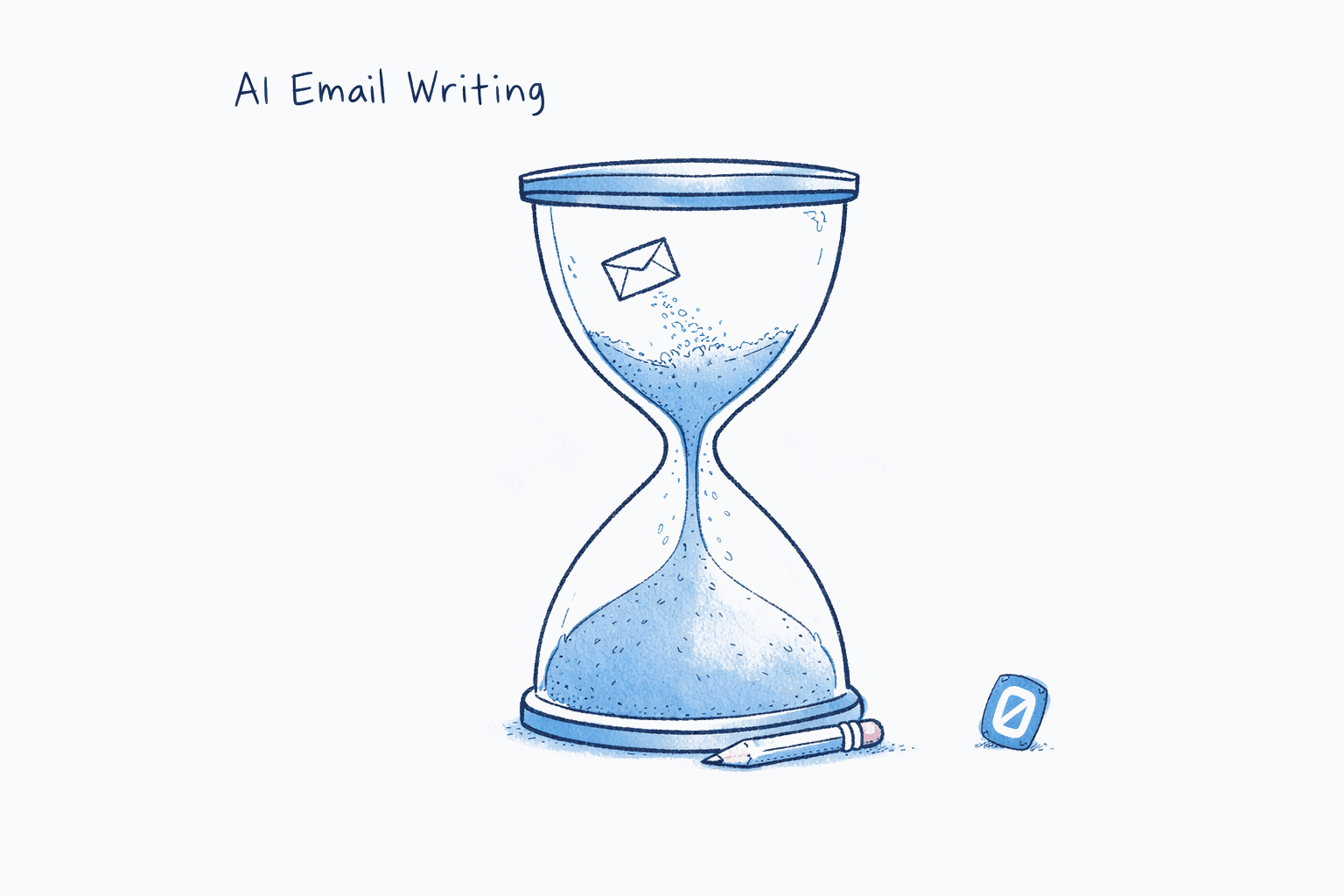
Yes, AI can write your emails; but about 37% of the time you save will be spent fixing what it wrote.
That number comes from a January 2026 Workday study of 3,200 employees across three continents. Workers reported saving one to seven hours a week with AI tools. But roughly 37% of those savings evaporated into “correcting, clarifying, or rewriting low-quality AI-generated content.” Only 14% of employees said they consistently achieved net-positive outcomes from AI use.
We spent two months testing AI email writing across every major tool: Gmail’s Gemini-powered Help Me Write, Superhuman’s Auto Drafts, Shortwave’s Ghostwriter, and standalone tools like ChatGPT and Claude used for email composition. The results were genuinely surprising; not because the tools were bad, but because they were bad in ways we didn’t expect. Tone was usually fine. Facts were the problem.
Here’s the opinion we landed on, and it’s one the email industry won’t like: AI email writing works best when it writes less. Short replies, quick acknowledgments, meeting confirmations. The moment you ask AI to compose anything substantive — a project update, a sensitive response, a negotiation, the failure modes multiply. The tools that understand this distinction are the ones worth using.
Key Takeaway
AI email writing tools produce acceptable drafts for simple, routine messages: confirmations, acknowledgments, scheduling. For complex or sensitive emails, every tool we tested required significant human editing. The Workday 2026 study found 37% of AI time savings are lost to rework. The best approach is AI-assisted speed on low-stakes messages, with human authorship on everything that matters.
What Does AI Email Writing Actually Look Like in 2026?#
AI email writing in 2026 falls into three tiers, each with different expectations for quality and autonomy.
Tier 1: Autocomplete and smart replies. Gmail’s Smart Compose and Smart Reply fall here. The AI suggests the next few words or offers canned three-word responses (“Sounds good!”, “Thanks for sharing!”). Google’s internal data shows that 70% of enterprise users accept Gemini-powered suggestions in Gmail and Google Docs. These features save seconds per message and rarely produce errors because they’re generating so little text.
Tier 2: Full draft generation from context. Superhuman’s Auto Drafts and Gmail’s Help Me Write sit here. The AI reads the thread, understands the context, and generates a complete reply for your review. Superhuman’s version analyzes your past emails to match your writing style for each recipient, automatically drafting follow-ups when emails need responses. These drafts are genuinely impressive, until you check the details.
Tier 3: Personalized ghostwriting. Shortwave’s Ghostwriter is the most ambitious attempt. After processing roughly 200 of your sent emails, it generates replies that Shortwave claims are “nearly indistinguishable from what the user would write themselves.” The system uses embedding-based semantic search across your email history to find relevant context and feed it into the draft.
The technology at every tier is real. The question is whether the output earns your trust. For a deeper look at the mechanisms behind these drafts, see our breakdown of how AI email assistants actually work under the hood. Tools pushing toward Tier 3 autonomy are edging into what we call agentic email: systems that act on your behalf instead of waiting for you to review every draft.
How Accurate Are AI-Written Emails, Really?#
Not accurate enough to send without reading, and that’s the honest answer every tool maker avoids putting in their marketing.
The accuracy problem in AI email writing isn’t the obvious kind. AI rarely produces grammatically broken emails or completely off-topic responses. The failures are subtler: a deadline shifted by a day, a name misspelled from a thread the AI misread, a commitment made that you hadn’t agreed to, a tone that’s cheerful when the situation calls for gravity.
A 2025 NewsGuard audit found that false claims generated by leading AI models nearly doubled in a single year, from 18% in August 2024 to 35% in August 2025 on news-related prompts. Email drafting is a grounded task (the AI has the source thread to reference), so hallucination rates are lower. But “lower” still isn’t “zero.” Google’s Gemini-2.0-Flash achieves roughly 0.7% hallucination on summarization benchmarks, while OpenAI’s models cluster around 0.8–1.5%.
Those percentages sound small until you do the math on volume. If you receive 121 emails per day and AI drafts replies to 30 of them, even a 1% error rate means a wrong fact every three to four days. Over a month, that’s seven to ten emails sent with inaccurate information: commitments you didn’t intend, dates you didn’t confirm, context you didn’t provide.
Honestly, the hallucination numbers surprised us less than the tone problems. AI drafts are competent at matching vocabulary and length, but they consistently miss emotional register. A tool that learned your style from 200 cheerful emails will write a cheerful response to bad news. We saw this repeatedly across Superhuman and Shortwave; the style matching is impressive, but style isn’t the same as judgment.
Does Anyone Trust AI-Written Emails?#
This is where the research gets uncomfortable for the AI email industry.
Peter Cardon, Professor of Business Communication at USC Marshall, and Anthony Coman at the University of Florida published a study of 1,100 professionals in the International Journal of Business Communication in 2025. They tested how employees perceive emails written with varying levels of AI assistance. The results were stark: only 40–52% of employees viewed supervisors as sincere when they used high levels of AI, compared to 83% for low-assistance messages.
The trust penalty was most severe for relationship-oriented communication: praise, congratulations, motivational messages, personal feedback. For routine informational messages (meeting reminders, factual updates), AI assistance had minimal impact on perceived sincerity. The researchers called this the “perception gap”: employees accept AI help for tasks that don’t require empathy, but punish it in contexts that do.
“When supervisors rely heavily on AI for personal or motivational messages, employees perceive them as less sincere and question their leadership abilities.” — Peter Cardon, Professor of Business Communication, USC Marshall, 2025
A separate Salesforce survey of 500+ consumers found a generational divide in AI detection: Gen Z and Millennials are twice as likely to correctly identify AI-written content as Baby Boomers. Younger recipients are also more forgiving of it, as long as the content is personalized and relevant. The implication: if your audience skews younger, AI writing carries less stigma but faces more scrutiny.
Ethan Mollick, Associate Professor at the Wharton School, has studied AI’s impact on work performance extensively. His research with Boston Consulting Group found that participants using AI self-reported a three-times performance improvement on about a fifth of their tasks. But that improvement came with a catch: 77% of employees using AI reported it had added to their overall workload, not reduced it. The tool creates capacity, but expectations expand to fill it.
“My No. 1 piece of advice is to pay $20 a month for Claude or GPT or Gemini and use it for everything you can use it for legally. But you have to check the work.” — Ethan Mollick, Associate Professor, Wharton School, 2025
That last sentence is the part most AI email tools gloss over. “Use it for everything” only works if “check the work” is built into the workflow. And most email apps are moving in the opposite direction: toward auto-sending, not reviewing. If you’re concerned about what these tools do with your messages behind the scenes, we’ve explored what actually happens to your email data when AI processes it.
If the idea of AI sending emails you haven’t reviewed makes you uneasy, Swizero uses AI to draft replies within a fixed card limit; you review every response before it leaves, and every session ends. Speed without the risk of unsupervised sending.
Tool-by-Tool: What We Found#
We tested each tool on the same five email scenarios: a simple meeting confirmation, a project status update, a reply to a complaint, a cold outreach follow-up, and a sensitive HR-adjacent message. Here’s what stood out.
Gmail Help Me Write (Gemini)#
Gmail’s approach is the most conservative, and that’s actually a strength. You type a prompt (“Reply saying I’m available Tuesday but not Wednesday”), and Gemini generates a draft you can edit before sending. It doesn’t attempt to match your style; it writes in corporate-neutral English that’s inoffensive if bland. (For a broader look at how Gemini compares to Microsoft’s Copilot on writing and other AI features, see our Gmail vs. Outlook 2026 comparison.)
Where it failed: the complaint response. Gemini produced a reply that acknowledged the issue but used language so template-like that it felt dismissive. The HR-adjacent email was similarly flat: technically appropriate, emotionally vacant. For meeting confirmations and status updates, it was genuinely useful.
Superhuman Auto Drafts#
Superhuman’s Auto Drafts are the most aggressive implementation. The AI reads incoming emails, decides which ones need responses, and pre-generates drafts waiting in your outbox. It’s fast. It’s convenient. And it’s occasionally wrong in ways that require careful attention.
The style matching was impressive: after a week of use, drafts sounded like natural extensions of our actual writing. But on the project status update, the AI included a timeline commitment we hadn’t discussed. On the cold outreach follow-up, it referenced a detail from a different thread. These aren’t catastrophic errors. They’re the kind of subtle mistakes that slip past a quick skim and create problems downstream.
Auto Drafts are available on Superhuman’s Business plan at $40/month, a price point that assumes you’re sending enough high-stakes email to justify both the cost and the review overhead.
Shortwave Ghostwriter#
Shortwave’s Ghostwriter produced the most natural-sounding drafts in our testing. After indexing sent email history, the system captures phrasing habits, typical greetings, and even humor patterns. The complaint response was the best of any tool, mirroring the kind of measured, empathetic language a real human would use.
The catch: Ghostwriter’s quality is directly tied to your email history volume. New accounts or accounts with sparse sent folders get generic output. And the semantic search that powers it occasionally surfaces irrelevant context from old threads, leading to non sequiturs in drafts. One test reply referenced a project we’d completed six months ago as if it were active.
For users with deep email histories and high message volume, Ghostwriter is likely the best pure AI writing experience available. For everyone else, the personalization takes weeks to become useful.
| Tool | Best For | Worst At | Pricing |
|---|---|---|---|
| Gmail Help Me Write | Simple replies, broad accessibility | Emotional nuance, personalization | Free (Workspace) |
| Superhuman Auto Drafts | High-volume professionals, speed | Factual accuracy on complex threads | $40/mo (Business) |
| Shortwave Ghostwriter | Style matching, natural tone | New accounts, stale context | $9/mo (Personal Pro) |
| ChatGPT / Claude (standalone) | One-off composition, flexibility | Thread context, workflow integration | $20/mo |
What AI Email Writing Gets Right (and What It Can’t Fix)#
AI email writing genuinely solves two problems. First, it eliminates the blank-page problem. Starting a reply is the hardest part for many people, and a pre-generated draft (even a mediocre one) gives you something to edit rather than something to create. Of course, editing an AI draft still requires knowing what good email writing looks like; the 9-Second Rule for writing emails that get read offers a research-backed benchmark for length, structure, and clarity. The MIT study by Noy and Zhang (2023) found that AI reduced writing task time by 40%, with the biggest gains among workers who started at lower performance levels.
Second, it normalizes tone across an organization. If your team’s emails range from “casual Slack message” to “Victorian-era correspondence,” AI smooths out the extremes. That consistency has value, especially in customer-facing roles.
What AI email writing cannot fix is the volume problem. If everyone writes faster, everyone sends more. A 2025 analysis from the Humboldt Institute for Internet and Society found that AI-written emails may increase total email volume; the efficiency gains on the sender side become noise on the recipient side. This is the paradox at the heart of every AI email feature: making email easier to write makes email harder to manage.
I could write a whole post about the psychological dimension of this (the way AI-generated email creates a kind of communication inflation) but the key point here is practical. If you’re evaluating AI email writing tools, the question isn’t “does it write good emails?” It’s “does it make my overall email experience better?” Those aren’t the same question. We’ve written more about why adding features to email often makes the problem worse, and the answer has more to do with design philosophy than technology.
A Different Approach: AI That Writes Less, Not More#
Most AI email tools are designed around the assumption that writing more email, faster, is progress. We think the opposite is true.
At Swizero, AI drafts replies, but only within a constrained system. When you start a Swizero Run, AI has already ranked your emails by importance and surfaced only a handful of cards. Each card includes an AI summary and, where appropriate, a draft reply. You swipe left to clear, down to archive, right to flag, up to reply. The AI drafts are there to accelerate your response, not to replace your judgment.
The difference is subtle but significant. Superhuman’s Auto Drafts generate replies for everything and let you decide what to send. Swizero’s AI drafts exist within a finite session; you’re only seeing the emails that matter, so the drafts that need your attention are already filtered. Fewer drafts, higher relevance, less review overhead.
This isn’t a knock on Superhuman or Shortwave; their tools are technically impressive. But they’re solving for speed on an infinite surface. If you’ve explored the science behind effective email habits, you know that the research points to constraints and batching as more effective than raw efficiency. AI works best when it operates within limits, not in the open ocean of an uncapped inbox.
The email apps that will matter most in the next few years won’t be the ones with the most powerful AI. They’ll be the ones that combine AI’s genuine capabilities (drafting, summarizing, prioritizing) with a design philosophy that respects your attention. For a broader look at how different apps handle this trade-off, our comparison of every major email app in 2026 lays out the approaches side by side.
Frequently Asked Questions#
Is AI email writing safe for professional use?#
AI email writing is safe for routine, low-stakes messages: meeting confirmations, brief acknowledgments, scheduling replies. For high-stakes communication (client negotiations, legal matters, HR-related messages), every AI tool we tested required significant human review. The Workday 2026 study found that 37% of AI time savings are lost to rework, largely because users sent AI-generated content without adequate verification. The safe approach: let AI draft, but always read before sending.
Can recipients tell if an email was written by AI?#
It depends on the recipient’s age and the email’s complexity. A Salesforce 2025 survey found that Gen Z and Millennials are twice as likely to correctly identify AI-written content as Baby Boomers. Simple messages are harder to detect. Longer, more complex emails (especially those requiring emotional nuance) are more likely to be flagged as AI-generated, particularly by younger, AI-literate audiences.
Which AI email tool writes the most accurate drafts?#
In our testing, Shortwave’s Ghostwriter produced the most naturally written drafts for users with substantial email history. Gmail’s Help Me Write was the most conservative and therefore least error-prone, though also the least personalized. Superhuman’s Auto Drafts offered the most ambitious automation but carried the highest risk of subtle factual errors from misread thread context. No tool consistently produced drafts accurate enough to send without review.
Will AI email writing replace human email composition?#
Not for meaningful communication. The Cardon and Coman 2025 study of 1,100 professionals found that perceived sincerity dropped from 83% to as low as 40% when heavy AI assistance was detected. AI will increasingly handle routine messages, and that’s a genuine improvement. But for emails where trust, empathy, or precision matter, human authorship remains irreplaceable. The future is likely a hybrid: AI handles the mundane so you can focus your writing energy on what counts.
Sources#
- New Workday Research: Companies Are Leaving AI Gains on the Table. Workday, January 2026. Survey of 3,200 employees found 37% of AI time savings lost to rework; only 14% achieve net-positive outcomes.
- Professionalism and Trustworthiness in AI-Assisted Workplace Writing. Cardon, P. & Coman, A., International Journal of Business Communication, 2025. Sincerity perception dropped to 40–52% with heavy AI use.
- AI Hallucinations Nearly Double. NewsGuard audit via VKTR, 2025. False claims from leading AI models rose from 18% to 35% in one year.
- Gmail Is Entering the Gemini Era. Google, January 2026. 70% of enterprise users accept Gemini-powered suggestions.
- The Next Evolution of Superhuman AI. Superhuman, October 2025. Auto Drafts generate follow-up replies in user’s writing style.
- Introducing Ghostwriter: AI Writing That Learns From You. Shortwave. Style-matched AI drafts after processing 200+ sent emails.
- 5 Charts Showing How Consumers Trust AI & Email in 2025. Salesforce, 2025. Gen Z/Millennials 2x more likely to detect AI-written content.
- Co-Intelligence: How to Live and Work With AI. Mollick, E., Wharton School. 77% of AI-using employees report increased workload.
- Experimental Evidence on the Productivity Effects of Generative AI. Noy, S. & Zhang, W., Science, 2023. AI reduced writing task time by 40%.
- The Unintended Consequences of Writing Emails With AI. Humboldt Institute for Internet and Society, 2025. AI-written emails may increase total email volume.
- AI Hallucination Benchmarks 2026. Scott Graffius. Gemini-2.0-Flash: 0.7% hallucination; GPT models: 0.8–1.5% on summarization.
Your inbox doesn't have to feel like this.
Rank what matters, draft replies, and reach done.
Meet the AI email assistant that finishes