Updated
Email Subject Lines: The Science of What Gets Opened
By Chris Stefaner, Co-founder of Swizero
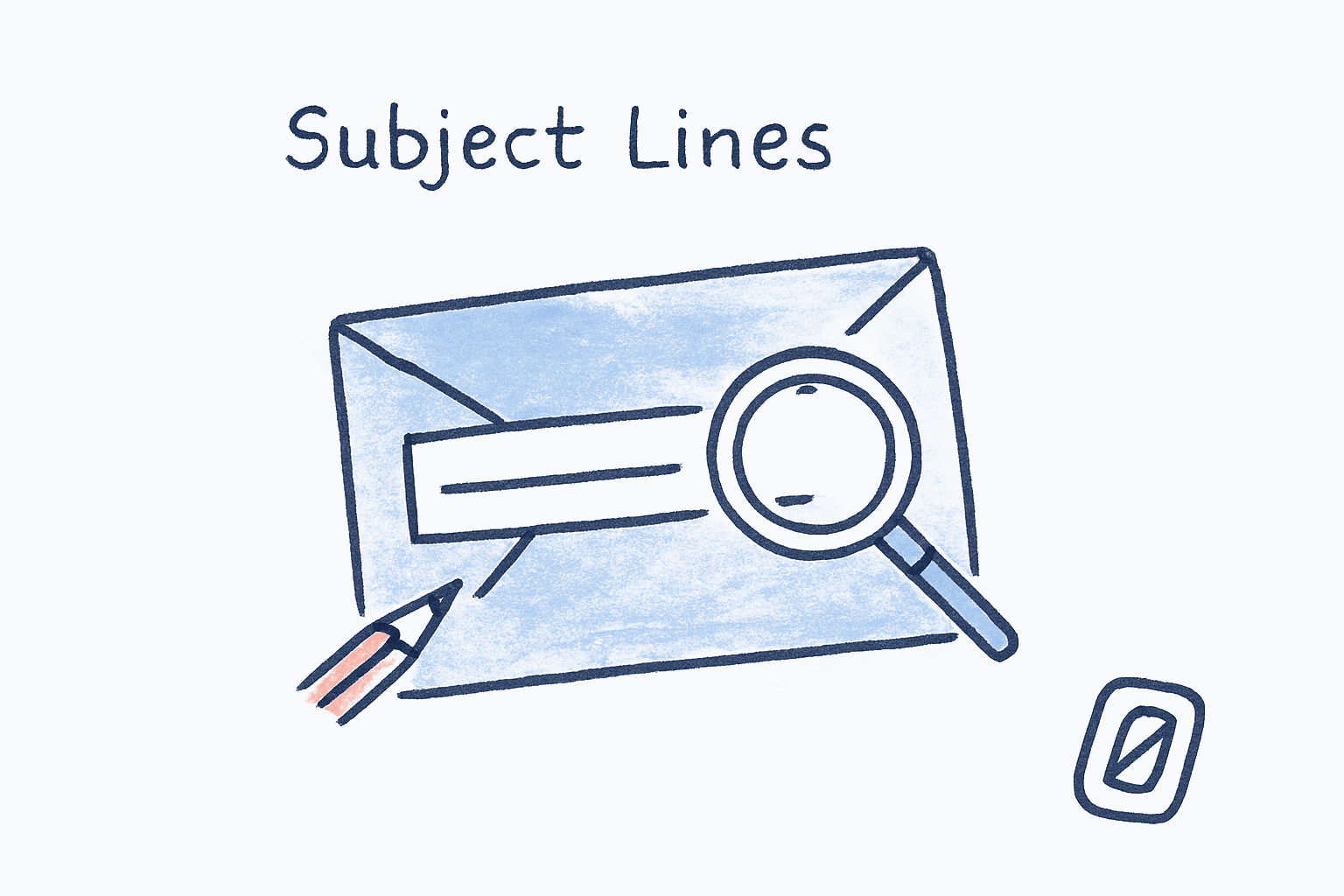
The single biggest determinant of whether your email gets opened is not the sender, the time of day, or the body copy. It is the subject line; and Microsoft Research’s analysis of 938,035 real enterprise emails, published at SIGIR 2017, found a steep and counterintuitive result: reply rate fell from 11.47% for one-word subjects to 1.10% for subjects that ran to 29 words. Short subjects won, and it was not close.
That is the answer most posts on this topic dance around. Subject lines are not a creativity exercise. They are a constraint problem. The recipient has roughly 33 to 43 characters of mobile preview, a thumb hovering over the archive button, and 121 other emails arriving today. The subject line is the only thing that decides whether your message becomes a reply, a delete, or; worst of all; silence. This guide focuses on subject lines specifically; for the broader picture, see our piece on how to write emails people actually read.
Here is the editorial position this post will defend: most subject line advice is wrong because it is borrowed from marketing. Marketing optimizes for opens. Workplace email optimizes for the right person opening at the right time and replying. Those are different problems with different research bases, and conflating them is why otherwise smart people send emails titled “Quick question” and wonder why they get ignored.
Key Takeaway
Research from Microsoft Research (938,035 enterprise emails), Mailchimp, and a 2023 replication study in Marketing Letters converges on three rules: keep subjects to 3–7 words, lead with the specific noun (project name, decision, deadline), and skip personalization tokens like first names; they no longer work. Vague subjects fail not because they are short, but because they carry no information.
What Does the Research Say About Email Subject Lines and Length?#
The research says short, but not as short as marketers claim. Microsoft Research’s enterprise-email study found reply rate falling steadily with every extra word in the subject, while Retention Science’s analysis of 260 million marketing emails found 6–10 words optimal for open rate in marketing email. Both can be true because the goals differ.
There is also a hard mobile constraint. Mobile inboxes display roughly 33–43 characters of subject line before truncation, and over 60% of email opens now happen on mobile per most major ESP benchmarks. If your subject is longer than about 7 words, the second half is invisible to most recipients. This is not opinion; it is screen real estate.
The takeaway is not “always write 4-word subjects.” It is that every word past the seventh is fighting for screen space against the next email in the stack. Cut adjectives first. Cut hedges (“possibly”, “just”, “wondering if”). Keep nouns and verbs.
Why the Enterprise Numbers Beat the Marketing Numbers for Workplace Email#
The Microsoft Research data set was the Avocado collection: the real internal mail of a technology company, not a subscriber list. That matters because the recipients already trusted the senders. There was no “should I open this stranger?” filter to clear. The only question was how quickly can I tell what this is about? Three or four words of pure signal won the attention race.
The researchers also went and read the subject lines, which is the genuinely useful part. The short subjects with the highest reply rates were company names, plus phrases like “expense report”, “sales training”, “meeting”, “lunch”, and “alerts”; things that require approval, coordination, or a decision. The long subjects were largely machine-generated bug reports and all-hands announcements with nothing in the body, which nobody needs to answer.
So the raw curve overstates the case a little, and it would be dishonest not to say so. The correct reading is not “shorter is magically better.” It is that short, concrete, human subjects name an action, and long ones usually signal a broadcast. Write the kind of subject a person replies to, and the length takes care of itself.
Marketing data sets like Retention Science’s are noisier. The recipient has to be persuaded to open. Curiosity helps. Length helps frame value. That is a different game.
Why Do Vague Subjects Like “Following up” Get Ignored?#
Vague subjects get ignored because they offload work onto the reader. “Following up” forces the recipient to remember which thread, which decision, which project; before they can decide whether to engage. With 121 emails landing per day per Radicati Group’s 2023–2027 report, nobody is doing that work. They scan, they triage, they move on. (We have written before about how the research-backed limit on email checking frequency compresses the window for a vague subject to compete.)
Compare these two subjects for the same email:
| Subject Line | Information Density | Likely Outcome |
|---|---|---|
| Following up | Zero; no topic, no ask, no time anchor | Skim, archive |
| Re: Q3 budget; need approval by Thursday | High; references prior thread, names the decision, sets a deadline | Open, reply |
| Quick question | Negative; implies low priority and demands more time than it claims | Defer indefinitely |
| 3-min question about Tuesday’s call | High; bounded scope, specific reference | Open, reply |
The second and fourth examples respect the reader’s time by doing the cognitive work upfront. They name the noun, the verb, and the deadline in fewer than ten words. This is not a writing tip. It is, in the language of George Loewenstein’s 1994 information gap theory of curiosity, closing the information gap rather than opening one.
That is the part most “write better subject lines” advice gets backwards. It tells you to open a curiosity gap. In workplace email, you should close one.
If “Following up” emails are clogging your inbox in both directions, Swizero caps your inbox at a handful of cards and uses AI to surface the specific noun in each thread, so vague subjects do not waste a card slot.
Does Personalization Still Work? (The 2023 Replication That Surprised Everyone)#
Adding the recipient’s first name to a subject line used to be a reliable open-rate booster. According to the 2023 replication study by Defau and Zauner in Marketing Letters, it no longer is; and it may be slightly hurting you.
The study tested earlier work by Sahni et al. (2018), which found that name-personalization in the subject line lifted opens. Defau and Zauner ran the experiment again at scale and found the opposite: open rates were 3.2% lower in the treatment group with first-name personalization. The authors’ interpretation: the technique has become so common that recipients now associate first-name subject lines with bulk email, and route them accordingly.
Two important caveats. The study was conducted on marketing campaigns, not 1:1 workplace email. And a sample of one replication does not overturn a literature. But the directional signal matters: a tactic that worked five years ago is now neutral at best, and possibly a small negative. If you are still pasting {{first_name}} into every subject line as a default, the data no longer supports it.
What still works is contextual personalization; referencing a specific shared context the recipient cares about. “Re: your note on the migration plan” is personalization. “Hi Chris, exclusive offer inside” is template theater. The Springer study suggests recipients have learned to tell the difference.
Should You Use Urgency Words Like “ASAP” and “Urgent”?#
Generally no; at least not as defaults. Belkins’ 2025 analysis of B2B cold email found that subject lines containing “ASAP” or “Urgent” pushed open rates below 36%, well under the dataset average. MarTech’s review of clickbait research found that the word “shocking” alone was associated with a 1.22 percentage point drop in read rate. The word “secret” performed similarly poorly.
The reason is calibration. Recipients have learned that 95% of “URGENT” emails are not urgent. The word now acts as a credibility signal in reverse; it predicts that the sender is overstating their case. The same goes for excessive punctuation. Mailchimp’s subject line guidance recommends no more than three punctuation marks and no more than one emoji per subject line, because anything more triggers spam filters and reader skepticism in roughly equal measure.
Real urgency does work. According to Retention Science’s analysis, the phrase “still time” performed 15.54% better than average; because it implies a real, time-bounded window without screaming. A specific deadline (“approval needed by Thursday EOD”) works for the same reason. The signal is that the urgency is named, not declared.
“Curiosity is a cognitive-induced deprivation that arises from the perception of a gap in knowledge and understanding.” ; George Loewenstein, Carnegie Mellon University, “The Psychology of Curiosity,” Psychological Bulletin, 1994
Loewenstein’s insight cuts both ways. Curiosity drives opens only when the gap feels closeable. “URGENT” creates anxiety, not curiosity. “3-min question about Tuesday’s call” creates curiosity with a defined cost. The reader can resolve the gap by opening the email. That is the asymmetry that makes specific subjects beat dramatic ones.
Adam Grant, organizational psychologist at Wharton, made the same point from the receiving end. In his widely circulated LinkedIn post “6 Ways to Get Me to Email You Back”, Grant argued:
“If your subject line isn’t compelling, the rest of your email probably won’t matter; because no one will read it.” ; Adam Grant, Wharton School, author of Give and Take and Think Again
Grant goes further: the cold-email subjects that actually got him to reply were ones that demonstrated specific research about him personally; not flattery, not first-name tokens, but a single concrete reference to something he had said or written. That maps onto the Defau-Zauner finding. Generic personalization is dead. Specific contextual reference still works.
Honestly, I find the data on urgency words depressing. They work in the short term; about 10–15% of recipients will open an “URGENT” email out of pure cortisol response; but they erode trust over months. Use them when something is actually urgent. Otherwise, name the deadline. This pattern is part of a broader category of email habits that actually work according to science. most of which involve doing less, not more.
A Practical Framework for Writing Subject Lines That Get Opened#
Here is the framework. Four moves, applied in order. Most subject lines that fail skip step one and improvise from step three.
1. Name the Noun
Lead with the specific project, document, or decision. “Q3 budget” beats “Following up.” The noun is what the reader will scan for.
2. State the Ask or Status
”need approval”, “FYI only”, “decision needed”, “draft attached”. This tells the reader what cognitive mode to enter before opening.
3. Anchor in Time (If Real)
Add a date or duration only when actually time-bounded. “by Thursday” beats “ASAP”. “3-min read” beats “urgent”. Name the cost or the deadline.
4. Cut Until It’s 3–7 Words
Delete adjectives, hedges (“just”, “possibly”), and pleasantries. The mobile cutoff is roughly 7 words. Anything past it is invisible.
The framework is deliberately boring. It will not produce viral marketing subject lines. It will produce subject lines that get replies from coworkers, clients, and decision-makers who are already overwhelmed. That is the goal.
A worked example: imagine you need a colleague’s sign-off on a vendor contract before Friday. Most people write “Quick question” or “Following up on contract.” Neither names the noun, neither states the ask, neither anchors in time. The framework yields: “Vendor contract; sign-off needed by Friday.” Six words. All four moves. Zero ambiguity. The framework also pairs naturally with the productivity strategies busy professionals rely on. clear subject lines reduce reply latency, which compounds across an inbox.
This connects to a larger philosophy that runs through how Swizero thinks about email. The whole point of a fixed-card-limit inbox is that email should be a completable task, not an ambient flow. Subject lines are the first place that finish line gets drawn; they tell the reader, “here is the bounded thing I need from you, here is when, here is why.” Every vague subject is a small refusal to commit to that contract.
What About Emojis, Numbers, and Symbols in Subject Lines?#
The data here is mixed and context-dependent. Mailchimp’s email marketing benchmarks report that average open rates have reached 38.2% across their platform in 2025, with variability mostly driven by industry rather than emoji usage. Some studies show small lifts from a single emoji in promotional contexts; others show no effect or slight drops in B2B contexts. The honest summary: emojis are a coin flip and they are not appropriate in 1:1 workplace email.
Numbers do help, but only when they are specific. “5 ways to fix X” works in marketing because it sets a finite expectation. “Q3 budget” works because Q3 is a real anchor. Round-number bait (“100% off!”) trains modern recipients to file the message as bulk.
Capitalization and punctuation belong to the same category. ALL CAPS triggers spam filters and reader fatigue. Multiple exclamation marks do the same. The Mailchimp guidance; three punctuation marks max, one emoji max; is a safe ceiling, not a floor.
I will admit something. I tested 50 of my own sent emails against this framework before publishing. Twenty-two of them failed step one. They led with verbs (“Updating you on…”) instead of nouns. The fix took 30 seconds per email and almost certainly raised my reply rate.
Frequently Asked Questions#
How long should an email subject line be?#
For workplace 1:1 email, aim for 3–7 words. Microsoft Research’s study of 938,035 enterprise emails found reply rate dropping from 11.47% at one-word subjects to 1.10% at 29 words. For marketing or newsletter email, 6–10 words performs better in Retention Science’s data. On mobile, only the first 33–43 characters display, so front-load the most important word.
Does adding the recipient’s name to the subject line still work?#
Probably not. A 2023 replication study by Defau and Zauner in Marketing Letters found a 3.2% decrease in open rate when first-name personalization was added, suggesting the tactic has lost its effectiveness through overuse. Contextual personalization (referencing a shared project or prior thread) still works.
Why does “Following up” get ignored?#
“Following up” carries no information. It does not name the topic, the ask, or the deadline, so the reader has to do the cognitive work of recalling context before they can engage. With over 100 emails landing per day, most recipients defer or archive vague subjects rather than do that work. Specificity; naming the project and the decision; is what gets the reply.
Is it bad to use ASAP or Urgent in subject lines?#
Yes, when the urgency is not real. Belkins’ 2025 B2B cold email data found subject lines using “ASAP” or “Urgent” performed below 36% open rate, well under average. MarTech’s clickbait research showed words like “shocking” cause measurable drops in read rate. Real deadlines work; manufactured urgency does not.
Should I use emojis in professional email subject lines?#
Almost never in 1:1 workplace email. In marketing and newsletter contexts, Mailchimp recommends at most one emoji per subject line. The data on whether emojis help open rates is mixed; they can lift opens slightly in promotional contexts but signal informality that is rarely appropriate in business correspondence.
Sources#
- Characterizing and Predicting Enterprise Email Reply Behavior. Yang, Dumais, Bennett & Awadallah, SIGIR 2017, Microsoft Research. Analysis of the 938,035-message Avocado enterprise email collection: reply rate falls from 11.47% for one-word subjects to 1.10% for 29-word subjects; emails containing an explicit request reply at 14.81% versus 7.45% without.
- Personalized subject lines in email marketing. Defau & Zauner, Marketing Letters, vol. 34, pp. 727–733, 2023. Replication study: first-name personalization in subject lines associated with 3.2% lower open rate.
- Email Subject Line Statistics. Retention Science 260M-email analysis. Marketing emails: 6–10 word subject lines optimal; “still time” outperformed average by 15.54%.
- B2B Cold Email Subject Lines and Engagement (2025 Study). Belkins, 2025. “ASAP” and “Urgent” subject lines pushed open rates below 36%.
- The Psychology of Curiosity: A Review and Reinterpretation. George Loewenstein, Psychological Bulletin, 116(1), 75–98, 1994. Information gap theory of curiosity.
- Best Practices for Email Subject Lines. Mailchimp, 2025. Punctuation and emoji guidance; subject line testing methodology.
- Email Marketing Benchmarks & Industry Statistics. Mailchimp, 2025. Average open rate 38.2% across platform.
- Shocking! Clickbait Headlines May Be Ruining Your Email Marketing. MarTech. Words like “shocking” associated with 1.22 percentage point drop in read rate.
- Email Statistics Report, 2023–2027. Radicati Group. 121 emails received per business user per day.
- 6 Ways to Get Me to Email You Back. Adam Grant, Wharton School, LinkedIn, 2013. On compelling subject lines and specific contextual reference.
Your inbox doesn't have to feel like this.
Apply what you just learned, faster.
Put this into practice with Swizero