Email Delegation: How to Let Others Handle Your Inbox Without Losing Control
By Chris Stefaner, Co-founder of Swizero
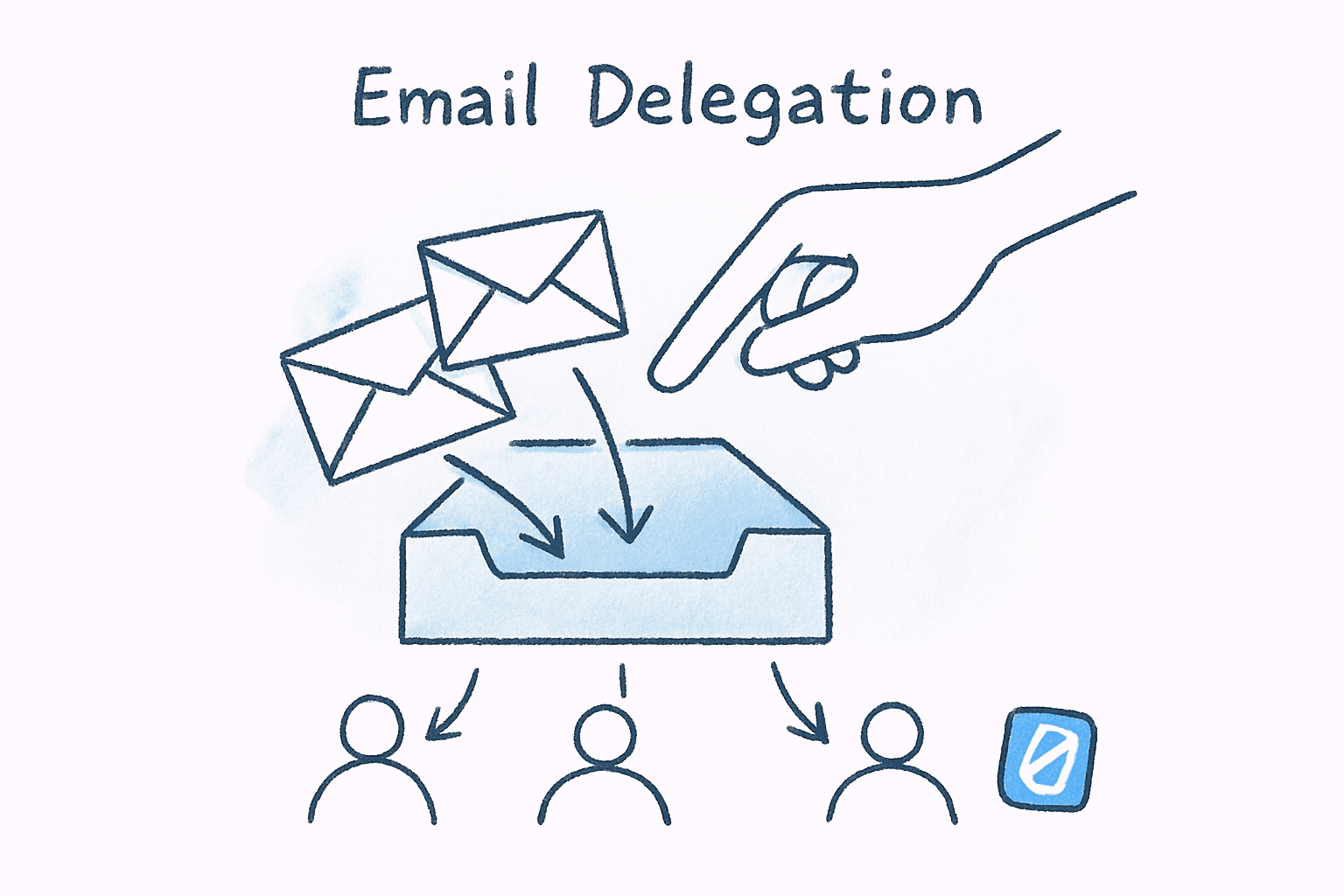
The best email delegation system is one where you never share your password at all. That might sound like a contradiction — how do you delegate something without giving someone access to it? — but the question itself reveals a false binary that has trapped executives for years. Delegation does not require full access. It requires sorting, prioritization, and routing. Those are tasks that AI now handles better than a human assistant in most cases, without ever needing to see the contents of your sensitive messages.
Here is the uncomfortable truth about email delegation that most productivity advice glosses over: the real reason executives resist it is not laziness or control issues. It is rational threat assessment. A 2024 Egress Email Security Risk Report found that 91% of organizations experienced data loss and exfiltration incidents through email, many caused by human error or reckless behavior from people who had legitimate access. When you hand your inbox to someone else, you are not just delegating tasks. You are multiplying your attack surface.
And yet, not delegating is equally destructive. Gallup’s study of 143 Inc. 500 CEOs found that leaders with high delegation skills generated 33% more revenue than those who held on to administrative control. The problem is not whether to delegate your email; it is how to delegate without creating the vulnerabilities that make delegation feel dangerous in the first place.
Key Takeaway
Email delegation does not require giving someone else access to your inbox. The most effective approach combines clear role boundaries (who handles what) with AI-powered triage that pre-sorts and prioritizes messages, giving you the benefits of a human assistant without the security risks of shared credentials. Leaders who delegate effectively generate 33% more revenue than those who don’t.
Why Are Executives So Afraid of Email Delegation?#
The fear is not irrational. Giving someone access to your inbox means exposing board communications, investor negotiations, personnel decisions, legal correspondence, and personal messages that inevitably land in a work account. According to Mimecast’s 2024 State of Email and Collaboration Security report, 74% of all cyber breaches are caused by human factors: errors, stolen credentials, misuse of access privileges, or social engineering. Every person you add to your inbox is another human factor.
The Barracuda Email Security Breach Report 2025 puts numbers to the consequences: 78% of organizations experienced an email security breach in the previous twelve months, with an average recovery cost exceeding $217,000. If one of your delegate’s accounts gets compromised, the attacker inherits their access to your mailbox. That is not a theoretical risk; it is the actual mechanism behind a significant percentage of business email compromise attacks.
But fear of delegation carries its own cost. Michael Porter and Nitin Nohria’s landmark Harvard Business School study tracking 27 CEOs over three months found that email consumed 24% of CEO work time. The researchers noted that “email interrupts work, extends the workday, intrudes on time for family and thinking, and is not conducive to thoughtful discussions.” Spending a quarter of your working life on email because you are afraid to delegate any of it is not caution; it is a slow-motion strategic failure.
The RACI Framework Applied to Your Inbox#
Most delegation advice tells you to “just hire an EA and let them handle it.” That skips the hardest part: deciding which emails you should never let someone else touch, which ones they can handle independently, and where the boundaries sit. The RACI framework (Responsible, Accountable, Consulted, Informed) provides a structure for exactly this problem.
Here is what RACI looks like when applied to email categories:
| Email Category | Responsible | Accountable | Consulted | Informed |
|---|---|---|---|---|
| Board & investor comms | You | You | -- | -- |
| Customer escalations | EA drafts response | You approve | Support lead | Team |
| Meeting scheduling | EA | EA | You (conflicts only) | -- |
| Vendor & sales pitches | EA filters | EA | -- | You (weekly digest) |
| HR & legal sensitive | You | You | Legal/HR | -- |
| Newsletter & FYI | EA archives | EA | -- | -- |
The critical insight is column two: accountability. Even when someone else is responsible for drafting a reply or sorting a message, you remain accountable for every email that leaves your account. This distinction is what separates healthy delegation from abdication.
Jocko Willink, retired Navy SEAL commander and author of Extreme Ownership, articulated this principle in a leadership context: “Trust is not blindly given. It must be built over time. Situations will sometimes require that the boss walk away from a problem and let junior leaders solve it, even if the boss knows he might solve it more efficiently.” Applied to email, this means starting with low-stakes categories (scheduling, vendor pitches) and expanding delegation only as trust is proven through consistent judgment.
I will be honest: building this matrix for your own inbox takes a solid afternoon. Most people skip it and jump straight to giving their assistant full access with verbal instructions like “just handle the easy stuff.” That approach works for about two weeks before someone replies to a sensitive thread with the wrong tone or misses an urgent message buried in the “easy stuff” pile.
What Does Effective Email Delegation Actually Look Like?#
Effective email delegation is a spectrum, not a binary switch. The mistake most executives make is thinking the only options are “I handle everything myself” or “someone else has my password.” In practice, there are at least four distinct levels, and most leaders should operate somewhere in the middle.
Level 1: Triage Only (No Reply Access)#
Someone sorts your inbox into categories (urgent, needs response today, FYI, archive) without ever sending anything on your behalf. You still process every message, but you skip the sorting step. This alone can save 30-45 minutes per day, according to Hiver’s analysis of AI email triage workflows.
Level 2: Triage + Templated Replies#
Your delegate can respond to routine messages using pre-approved templates: meeting confirmations, acknowledgments, redirect-to-the-right-person replies. They handle roughly 40-50% of volume. You handle the rest.
Level 3: Triage + Drafting#
Your delegate drafts replies for your review. You read the draft, edit if needed, and hit send. This is where most experienced EA-executive partnerships land. The EA at Athena describes this model as the point where “the EA handles 60-70% of emails independently,” freeing the executive for high-stakes communication only.
Level 4: Full Delegation with Escalation Rules#
Your delegate has send authority and handles everything except a defined escalation list (board members, investors, legal). This is the model used by most Fortune 500 CEOs with experienced chiefs of staff.
The right level depends on three factors: the sensitivity of your email (a startup CEO negotiating funding has different needs than a VP of operations), the experience of your delegate, and your personal tolerance for imperfection. That last one matters more than people admit. If you will agonize over a slightly off-tone scheduling reply that your assistant sent, Level 3 might be your ceiling, and that is fine.
The Security Playbook for Email Delegation#
If you do decide to give someone access to your inbox, treat it like a security deployment, not a casual favor. The InboxDone Email Delegation Security Checklist and IDECSI’s cybersecurity recommendations converge on a set of non-negotiable practices.
Authentication: Enable multi-factor authentication on your email account before granting delegate access. Use Google Workspace’s or Microsoft 365’s built-in delegation features; never share your actual password. Delegate access creates an audit trail. Password sharing does not.
Scope: Use Gmail’s delegation settings or Outlook’s shared mailbox permissions to limit what your delegate can see and do. In Gmail, a delegate can read, send, and delete messages, but cannot change your password, manage settings, or use chat. That built-in boundary matters.
Monitoring: Review delegate activity quarterly. Both Google Workspace and Microsoft 365 provide admin logs showing what actions delegates took and when. If your organization uses IDECSI or similar tools, you can set automated alerts for unusual delegation activity: bulk forwards, access from unfamiliar locations, or permission changes.
Rotation: If your delegate leaves the company or changes roles, revoke access the same day. This sounds obvious, but Mimecast’s report found that only 15% of companies provide ongoing cybersecurity training, and orphaned access permissions are one of the most common audit findings in email security reviews.
Cal Newport, Georgetown computer science professor and author of A World Without Email, argues that the problem runs deeper than individual security hygiene: “The issue isn’t just who has access; it’s that email was never designed for collaborative workflows in the first place. When you try to bolt delegation onto a system designed for one-to-one asynchronous messaging, you get complexity that creates both security gaps and communication failures.” His recommendation: move collaborative work out of email entirely and reserve the inbox for communication that genuinely requires it.
If the security overhead of human delegation feels disproportionate to the benefit, Swizero takes a different approach: AI-powered triage that pre-sorts your inbox into a fixed card limit: no shared access, no delegate credentials, no attack surface expansion. It is delegation without the delegation risk.
Can AI Replace a Human Email Delegate?#
Not entirely — but it can replace the most time-consuming and security-sensitive parts. The 70-80% of email delegation that involves sorting, categorizing, and prioritizing messages is exactly what modern AI handles well. The remaining 20-30% (nuanced replies, relationship management, tone-sensitive communication) still benefits from human judgment.
The advantage of AI triage over human delegation is structural. An AI system processes your email within your authenticated session, with no second person needing access to your account. No credentials are shared. No delegate’s compromised laptop becomes a vector to your inbox. AI providers used for triage should be evaluated on retention policy: the best ones process your content ephemerally and discard it immediately, with no logs and no training use, so your email never persists on a third-party server. Hiver’s analysis of AI email triage found that AI-powered sorting can automate 70-80% of routine email classifications while maintaining a human-in-the-loop for high-value replies.
This is the core idea behind Swizero’s approach to email triage: rather than delegating your inbox to another person, you delegate the sorting step to AI. Swizero reduces your inbox to a handful of cards per session (the messages that actually need your attention) while everything else is categorized and held. It is the equivalent of having an assistant who pre-sorts your mail into neat stacks on your desk each morning, except the assistant never reads the contents and never has your keys.
For executives who have tried and failed to delegate email to a human assistant (often because the overhead of training, reviewing, and correcting exceeded the time saved), AI triage offers a middle path. You get the cognitive load reduction that makes email manageable without the trust and security complications that make human delegation fraught.
I should note one limitation: AI triage does not write replies for you. If your delegation need is primarily about response drafting (you need someone to write emails in your voice), then AI triage solves the sorting problem but not the composition problem. For most executives I have spoken with, though, sorting is actually the larger time sink. Knowing which emails need your attention is harder than responding to them once you know.
How to Start Delegating Email This Week#
Forget the grand rollout. The fastest way to start is small, reversible, and measurable. Here is a five-day framework that works whether you are delegating to a human assistant or setting up AI triage:
Day 1: Audit. Spend one hour categorizing your last 50 emails into four buckets: (a) only I can handle this, (b) someone else could handle this with instructions, (c) someone else could handle this independently, (d) this did not need to reach me at all. Most people find that bucket (a) is smaller than they expected, usually 15-25% of volume.
Day 2: Define boundaries. Write down your escalation rules. Which senders always reach you directly? Which topics require your sign-off? Which message types can be handled without you? This is your delegation charter: one page, not a manual.
Day 3: Set up the system. If delegating to a human, enable delegate access through your email provider’s built-in tools (not password sharing). If using AI triage, configure your priority rules and sender categories. Either way, run in parallel with your existing workflow; do not go cold turkey.
Day 4-5: Evaluate. At the end of each day, review what your delegate (human or AI) handled. Look for false positives (messages escalated that did not need to be) and false negatives (messages missed that should have been surfaced). Adjust rules accordingly.
After one week, you will have data instead of anxiety. Most executives find that the adjustment period is shorter than they feared, and the time recovered is larger than they expected. Gallup’s research suggests the long-term payoff is substantial: CEOs who master delegation do not just save time; they build organizations that grow 33% faster than those led by executives who cannot let go.
The real challenge is not the system. It is the identity shift. If you have spent your career being the person who “stays on top of everything,” delegating email feels like losing a part of who you are as a leader. But staying on top of everything is itself an illusion when you receive 121 messages per day. You are not on top of it. You are underneath it. Delegation, whether to a trusted human or to AI, is how you climb out.
Frequently Asked Questions#
Is it safe to give my executive assistant access to my email?#
Using your email provider’s built-in delegation features (Gmail delegate access or Outlook shared mailbox permissions) is significantly safer than sharing your password. These tools create audit trails, prevent delegates from changing account settings, and can be revoked instantly. The key safeguards are enabling multi-factor authentication, limiting delegate scope to specific folders or labels, and reviewing access quarterly. According to the Barracuda Email Security Breach Report 2025, organizations that respond quickly to email security incidents are 79% less likely to suffer ransomware attacks, so fast revocation capability matters.
How much time does email delegation actually save?#
The savings depend on your delegation level. Triage-only delegation (sorting without replying) saves roughly 30-45 minutes per day. Full delegation with an experienced EA can recover 1-2 hours daily, based on the Porter and Nohria finding that email consumes 24% of CEO work time. AI-powered triage tools automate 70-80% of the sorting step, which represents the largest single time expenditure in email processing.
What is the biggest mistake executives make when delegating email?#
Skipping the boundary-setting phase. Most executives hand over inbox access with vague instructions like “handle the easy ones” and then spend more time reviewing and correcting their delegate’s work than they would have spent doing it themselves. Defining clear categories (which emails the delegate handles independently, which they draft for review, and which they escalate untouched) eliminates most delegation failures before they happen.
Can I delegate email without giving someone my password?#
Yes. Both Gmail and Outlook support delegate access that does not require sharing credentials. In Gmail, you add a delegate through Settings > Accounts > Grant access. In Microsoft 365, your admin can assign shared mailbox permissions. Both systems let the delegate read and send from your account while keeping your password private and creating an audit log of their activity.
How does AI email triage compare to hiring an executive assistant for email?#
AI triage handles the sorting and categorization step (identifying which emails are urgent, which are routine, and which are noise) without requiring access to your credentials or reading message content in a way that creates security exposure. A human EA adds judgment-intensive capabilities: drafting replies in your voice, managing relationships, and handling edge cases that require context. The most effective approach for high-volume inboxes combines both: AI triage for the 70-80% that is classification work, and human judgment for the 20-30% that requires nuance.
Sources#
- Delegating: A Huge Management Challenge for Entrepreneurs — Gallup, 2015. CEOs with high Delegator talent generated 33% more revenue; studied 143 Inc. 500 CEOs.
- How CEOs Manage Time — Michael Porter & Nitin Nohria, Harvard Business Review, 2018. Email consumes 24% of CEO work time across 27 executives tracked over 60,000 hours.
- The State of Email and Collaboration Security 2024 — Mimecast, 2024. 74% of cyber breaches caused by human factors; survey of 1,100 IT and cybersecurity professionals.
- Email Security Breach Report 2025 — Barracuda Networks, 2025. 78% of organizations experienced email security breaches; average recovery cost exceeds $217,000.
- 2024 Email Security Risk Report — Egress, 2024. 91% of organizations experienced data loss/exfiltration through email; 94% fell victim to phishing.
- What is AI Email Triage? — Hiver, 2025. AI triage automates 70-80% of routine email classifications.
- Email Delegation Security Checklist — InboxDone, 2025. Security best practices for email delegation.
- Cybersecurity Recommendations for Email Delegations — IDECSI, 2024. Delegation-specific security monitoring protocols.
Your inbox doesn't have to feel like this.
Apply what you just learned, faster.
Put this into practice with Swizero